Diamond Shield Professional
Instruction Manual
Menu Navigation
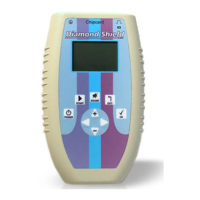
Navigation through the menu structure of the Diamond Shield is
simple and identical for all functional areas:
The currently selected item is marked with a small black
rectangle. Use the up arrow key ("+") to select the next
higher element and down ("-") arrow key to select the
following.
A scroll bar on the display’s right edge appears, when the
current list has more entries than can be displayed. The
scroll bar then indicates where you are in the list.
If you have already selected the last item in the menu and
then you press the down arrow key, the first item in the menu
will be selected. If you press the up arrow key it will go back
to the last entry. This allows you to change quickly between
the last and the first item in the menu.
Confirm your selection with the OK button. Then a new
display corresponding to the selected item appears.
Press the EXIT key to return one level up (if you are not
already in the main menu).


 To Next Page