40
Program Launch
When the Fit Test program launches:
• The console must detect a heart rate to operate.
• The console must detect the user’s RPM. If no movement is detected, the unit will enter Pause mode a er fi ve (5) seconds
of inac vity. To resume the program, begin rota ng the pedals and press the GO key.
• The Lower Display will post “Pedal at 50 RPM.”
• The Matrix Display will post a horizontal line of segments which show the projected resistance profi le and actual resistance
profi le history. This profi le may change as the user’s heart rate data is received and the program adjusts.
• If the user’s heart rate signal is detected, the heart rate bar graph and DB/heart icon will light
• All other displays will func on normally
Stage One The program will begin with Stage One, a three (3) minute warm-up session.
Stage Two, Three Programming will con nue, promp ng the user to maintain 50 RPM. A er each three (3) minute
and Beyond stage, the next stage will begin with an increased level of resistance. The program will con nue un l
the user successfully completes the test, or the program ends due to lack of input or improper/unsafe
heart rates.
Ending the Fit Test Program
Successful Test Results
If successful, the Fit Test program will end a er the user’s heart rate exceeds 110 BPM for two stages.
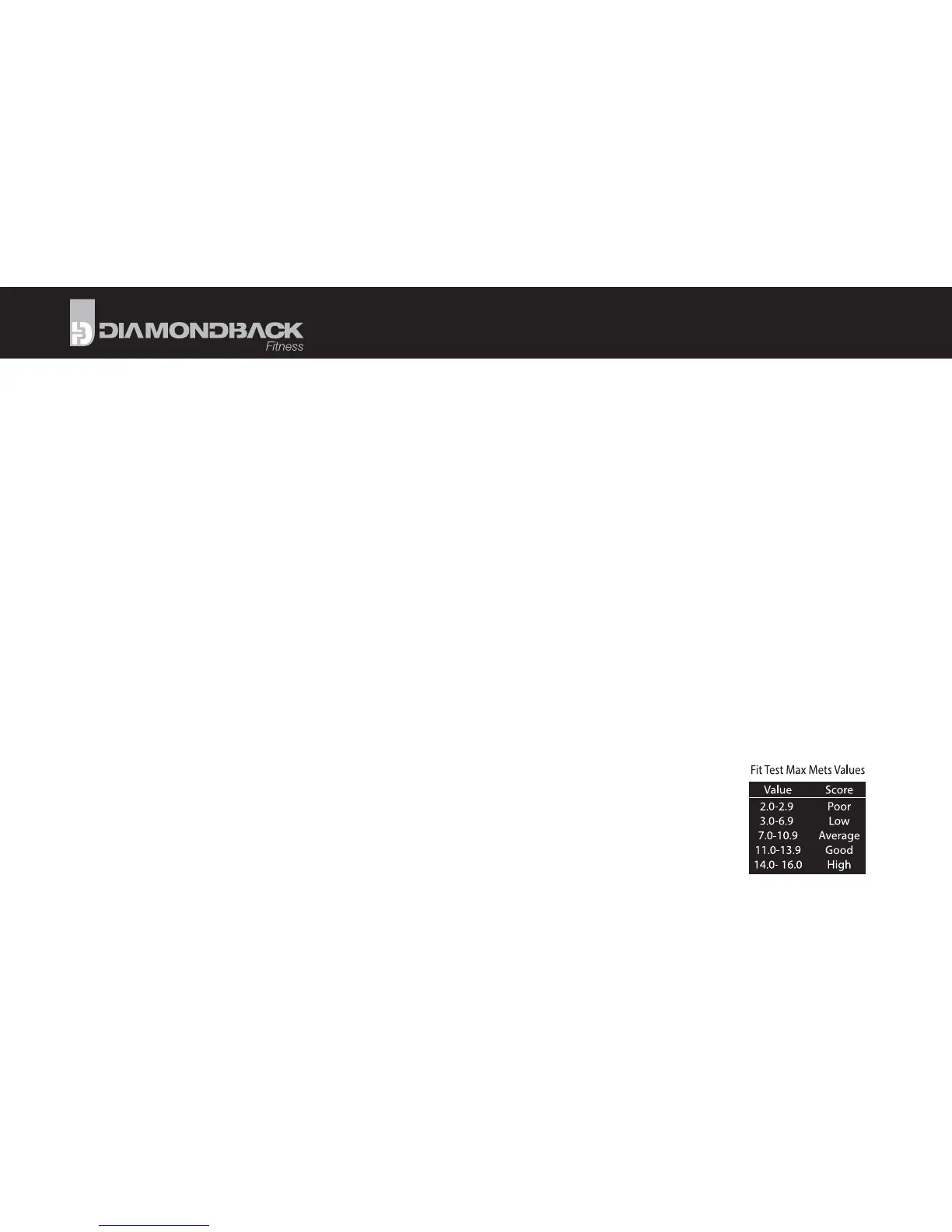
The console will beep to signify the ending of the program and the Lower Display will post “MAX METS =”
followed by the fi tness ra ng. “MAX METS” represents your func onal capacity for aerobic exercise. It is
expressed in METS, or metabolic units. This value factors the user’s body weight, but not age or gender
(see the chart to the right).
PROGRAMS



 To Next Page