OPERATOR’S MANUAL
IntelliAg PDC User 2 & 3
11001-1509A-201105
SYSTEM OPERATION / 135
SYSTEM INFORMATION AND DIAGNOSTICS
In order to view the following information and diagnostics screens, the
master switch must be set to the OFF position.
SYSTEM ACCUMULATORS SCREEN
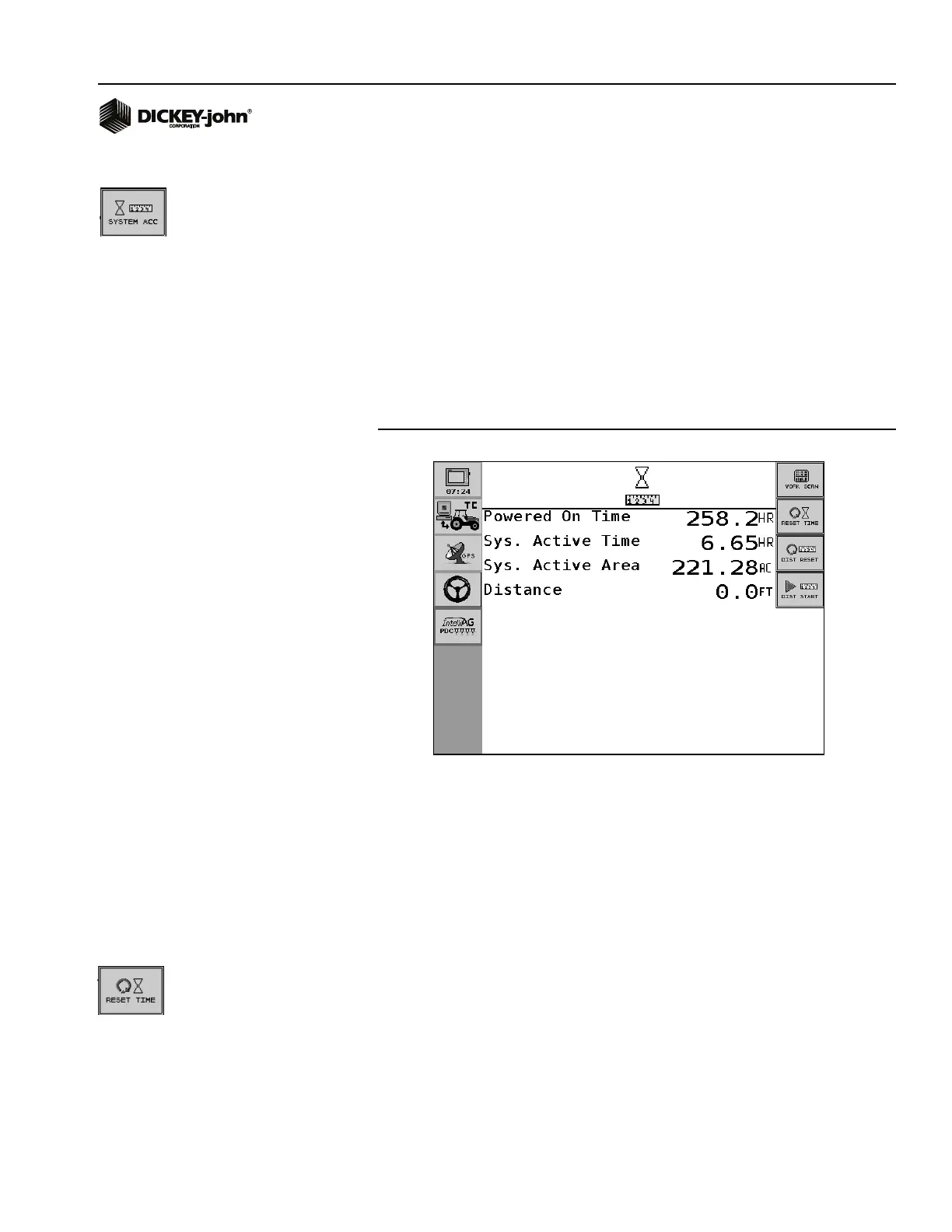
The System Accumulators screen displays the amount of time the system
has been on, the amount of time and area application control has occurred,
and the distance traveled. Data on this screen is for display purposes only -
it cannot be edited.
Press the System Accumulators button to access the Accumulators
screen.
Figure 86
System Accumulators Screen
NOTE: The Master Switch must be set
to the OFF position to display
the System Accumulators
screen.
POWERED ON TIME
Powered On Time is the accumulated time, in hours, that the system has
been powered ON. Powered On Time accumulates regardless of the mode
of operation - whether it is in SETUP/CONFIGURATION mode or
OPERATE mode. Powered On Time cannot be reset.
SYSTEM ACTIVE TIME
System Active Time is the accumulated time, in hours, that the machine has
actively been controlling. System Active Time accumulates whenever seeds
are detected on at least one sensor. Planting time does not accumulate
during an ALL ROWS FAILED condition. System Active Time can be reset
by pressing the Reset Time button.
SYSTEM ACTIVE AREA
System Active Area is the accumulated area covered while the Master
Switch is on. System Active Area cannot be reset.



 To Next Page