OPERATOR’S MANUAL
IntelliAg PDC User 2 & 3
11001-1509A-201105
SYSTEM OPERATION / 143
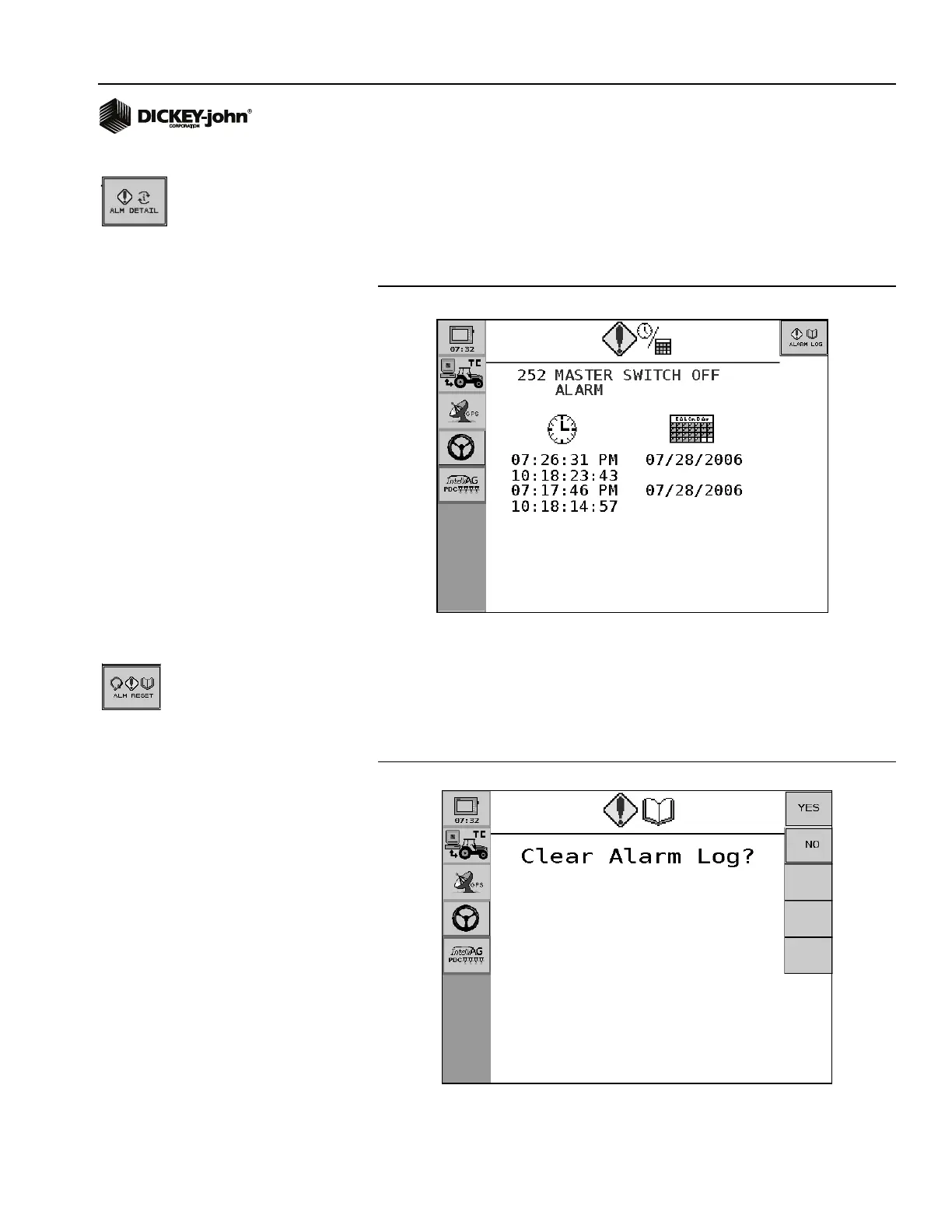
ALARM DETAIL
1. To view specific alarm details, press the Alarm Detail button.
– The time and date of the selected alarm displays for each occurred
instance.
– The Alarm Log will save up to 5 instances of the selected alarm.
Figure 92
Alarm Detail Screen
ALARM RESET
To reset the Alarm Log, press the Alarm Reset button.
1. Press YES button to clear.
2. Press NO button to return to Alarm Log Detail screen.
Figure 93
Reset Alarm Log Screen


 To Next Page