OPERATOR’S MANUAL
mini GAC®
11001-1437-200701
NORMAL OPERATION / 17
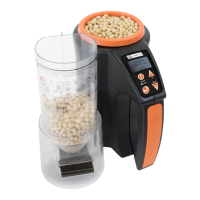
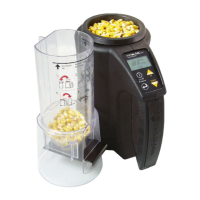
7. When secured, pull Loader slide out to dispense grain into
the unit.
8. Remove the Loader and use the level edge to strike
any excess grain from the unit.
9. Press Enter to begin the test.
IMPORTANT: A slight tilt when holding and testing grain is
acceptable. If tilt is more than 10 degrees,
an error warning is possible.
10. When grain test completes, press Enter to store the
results. Press Enter again to see the average of all
samples and press the Up or Down Arrows to scroll
through all previous readings.
11. Press the Home button to return to the Home menu.
IMPORTANT: Refer to the Error Codes and
Troubleshooting section if an error displays
after a grain test.
Figure 13
Scoop, Pull Slide, Strike Grain
1. Scoop 2. Pull Slide 3. Strike Grain



 To Next Page