OPERATOR’S MANUAL
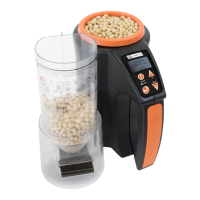
mini GAC®
11001-1437-200701
SETTINGS / 7
SETTINGS
The mini GAC can be customized to user preferences by
changing the following control settings from the Setup menu:
• Languages
• Results - test weight and temperature (mini GAC plus)
• Display
• Average buffer size
• Backlighting
• Contrast
• Units of measurement
• Automatic power down
LANGUAGES
Up to 12 languages are supported in each version of the mini
GAC with each language conforming to its own set of
calibrations. Other languages will be added when available.
To change the Language setting:
1. From the Home menu, press the Down Arrow button and
scroll to Setup and press Enter.
2. Press Enter to select the Language menu.
3. Press the Up or Down Arrow button to scroll through
languages.
Languages
English US Dutch
English UK Polish
English AUS Danish
French Russian
French Canadian Turkish
German Czech/Slovak
Italian Romanian
Spanish Greek
Portuguese Finish
Hungarian Bosnian/Croation/Serbian
Bulgarian



 To Next Page