Digi-Pas
®
© 2021 Digipas Technologies Inc. All Rights Reserved.
www.digipas.com
DWL-3000XY & DWL-3500XY Instruction Manual
10
2.6. SYNC Menu Mode
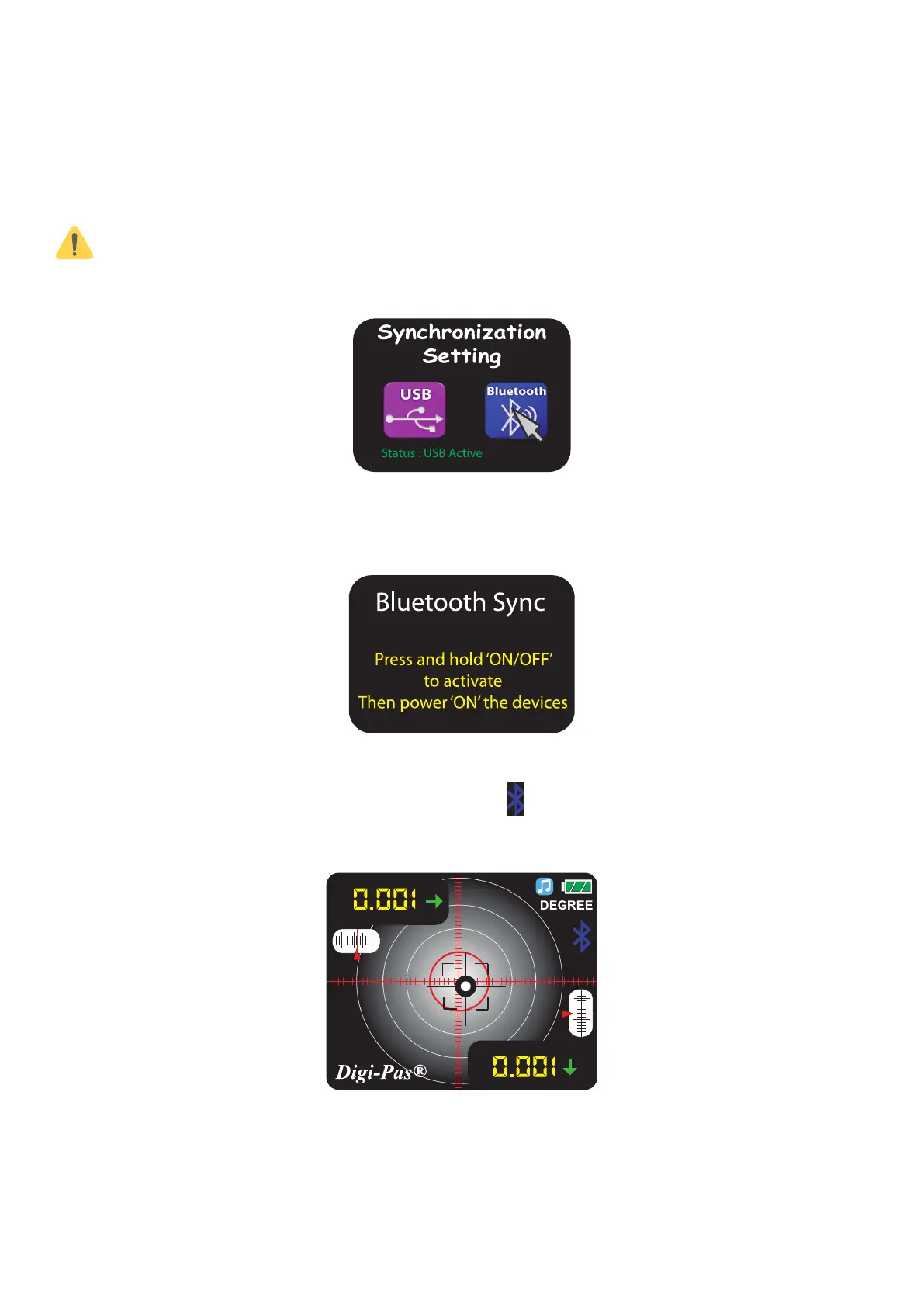
14. The status bar indicates current selected mode as Bluetooth then press “MODE” but-
ton. To change to USB mode, scroll the ‘Left’ button.
Bluetooth only available on Bluetooth version device.
Figure 14. SYNC menu display
15. Reboot the device by turning off the device and then turn on the device again to
activate the new setting.
Figure 15. Bluetooth sync setting
16. Once Bluetooth mode is activated, the icon will display on the single and dual-
axis mode screen display.
Figure 16. Bluetooth sync mode


 To Next Page