Digi-Pas
®
© 2021 Digipas Technologies Inc. All Rights Reserved.
www.digipas.com
DWL-3000XY & DWL-3500XY Instruction Manual
16
Calibration Procedure:
For DWL-3500XY model you only need to perfrom step 1 to step 4.
Calibration tutorial video available on Digipas website, please visit the following link:
https://www.digipas.com/support/video.php
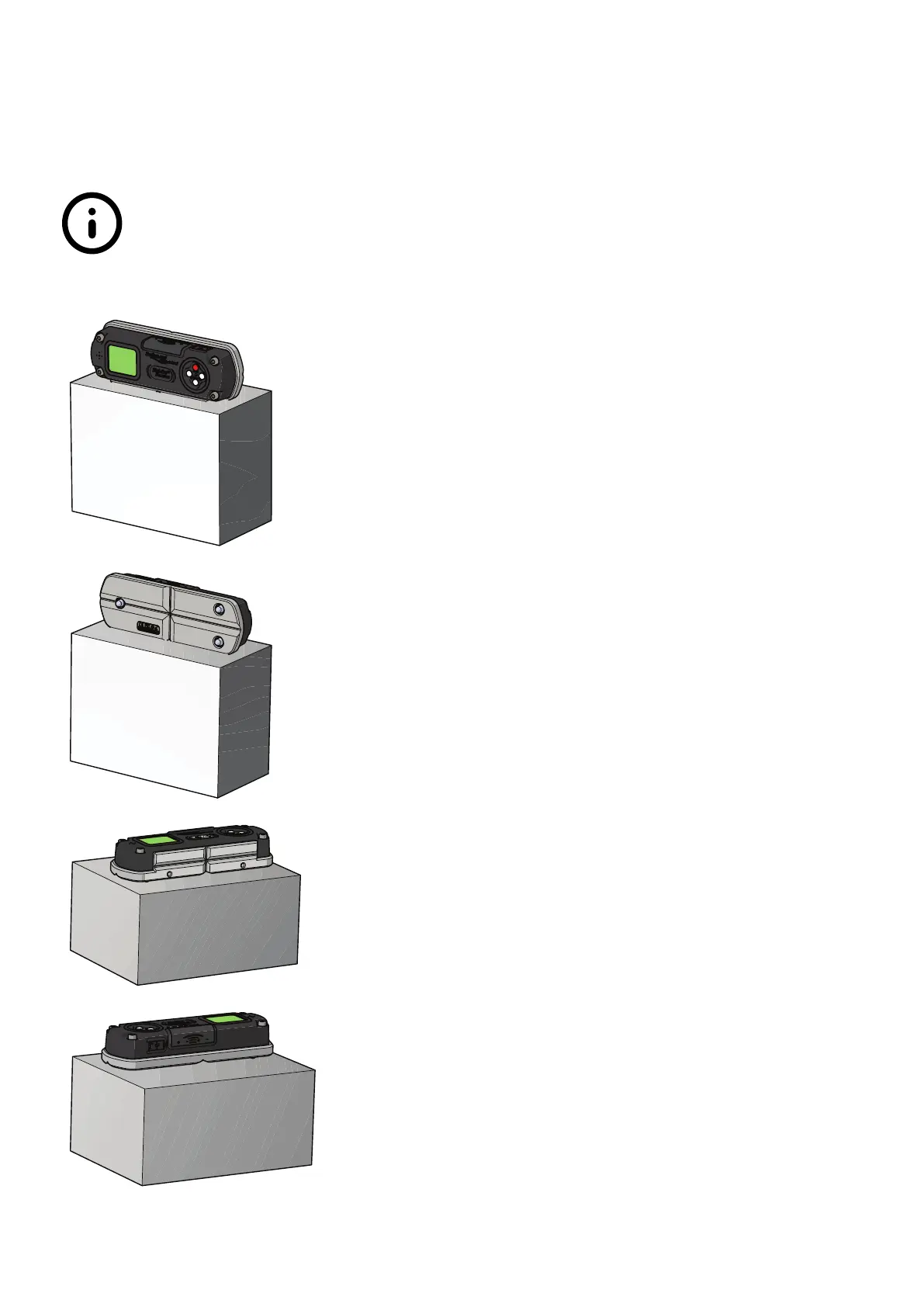
1. Power off the device. Press and hold the CAL button
while concurrently press the ON/OFF button to get
into calibration mode. “Calibration 1” will be shown
on display screen.
Place the device to Position 1. Press the MODE but-
ton once and wait until the countdown reach “0”,
the LCD screen displays “Calibration 2”.
2. Turn the device 180° to Position 2. Press the MODE
button again to start the calibration at “Position 2”
and wait until the countdown reach “0”, the LCD
screen displays “Calibration 3”.
3. Place the device 90° on the side of Master Square
as shown in Position 3. Hold the device rmly and
do not move the device during each count down
period. Press the MODE button again to start the
calibration and wait until the countdown reach “0”,
the LCD screen displays “Calibration 4”.
4. Turn the device 180° and place on the opposite
side of the master square as shown in Position 4.
Hold the device rmly and do not move the device
during each count down period. Press the MODE
button again to start the calibration and wait until
the countdown reach “0”, the LCD screen displays
“Calibration 5”.


 To Next Page
 Loading...