Note: Prior to installation the door must be clear of any obstructions. See page 9 for door prep.
5
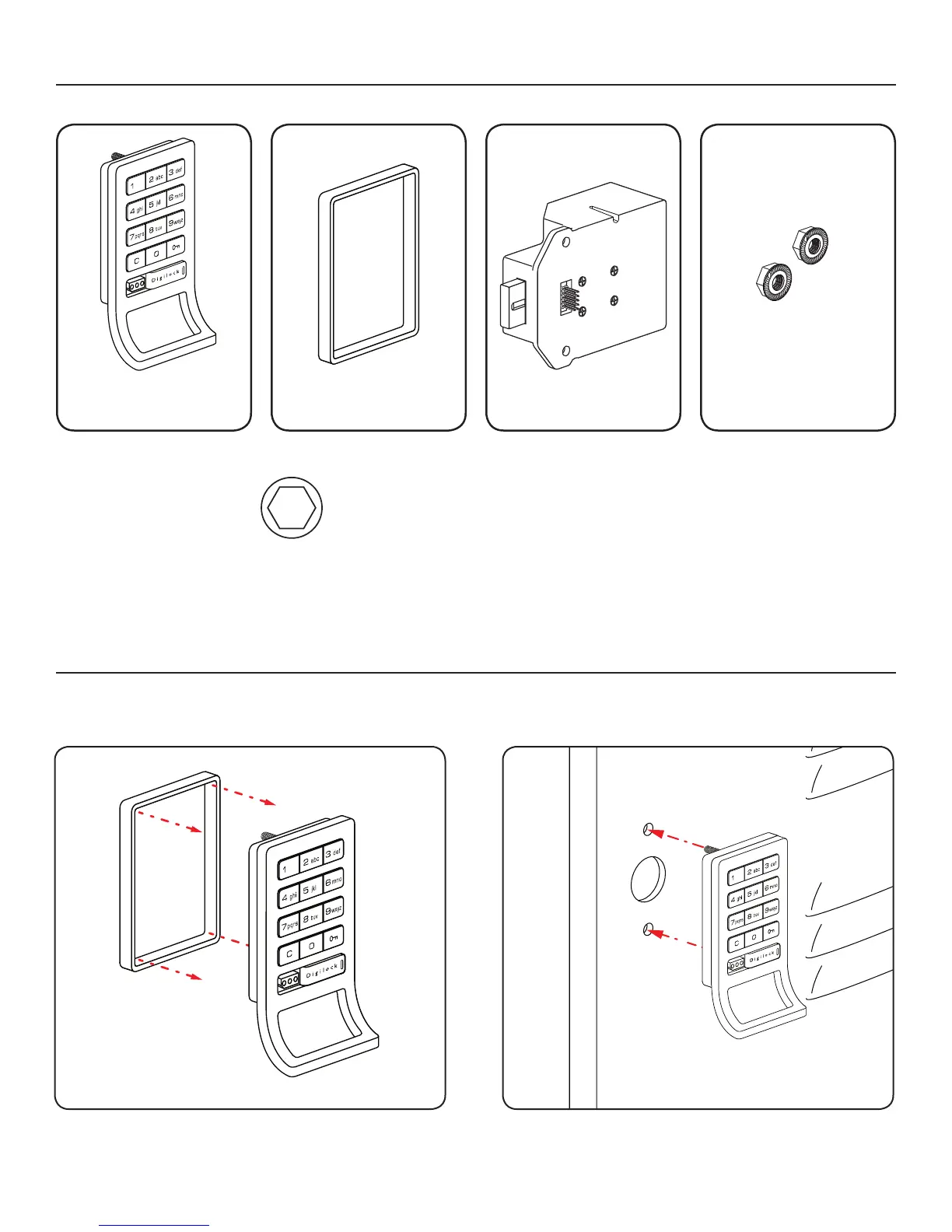
Place the plastic ring (B) onto the front unit (A).
Step 1
Place the mounting screw posts of the front unit (A)
through the lock mounting holes on the front
of the door.
Step 2
Surface Mount Metal Door Installation Steps
A
1-Front Unit
With-Pull Handle
B
1-Plastic Ring
C
1-Rear Unit
D
2-Locking Nuts
Surface Mount Metal Door Installation Parts
Required Tools
3/8” Socket
(deep socket required)
Note: For demonstration purposes the standard body with pull-handle and dead bolt rear unit will be shown.


 To Next Page