Initializing Lock(s)
These steps will initialize and register one or more Manager Bypass Keys to one lock.
36
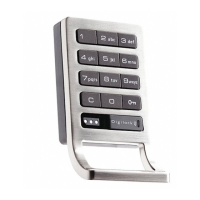
Test the programming by touching each Manager
Bypass Key(s) to the key slot of lock. If programming
is successful, the lock will operate with each Manager
Bypass Key(s) (black).
4
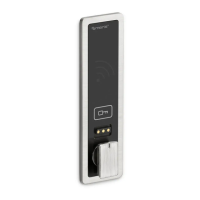
While the LED light is solid, touch each of the
Manager Bypass Key(s) (black) to the key slot one at
a time.
A single beep will be heard each time a new key is
touched to the lock indicating acceptance.
2
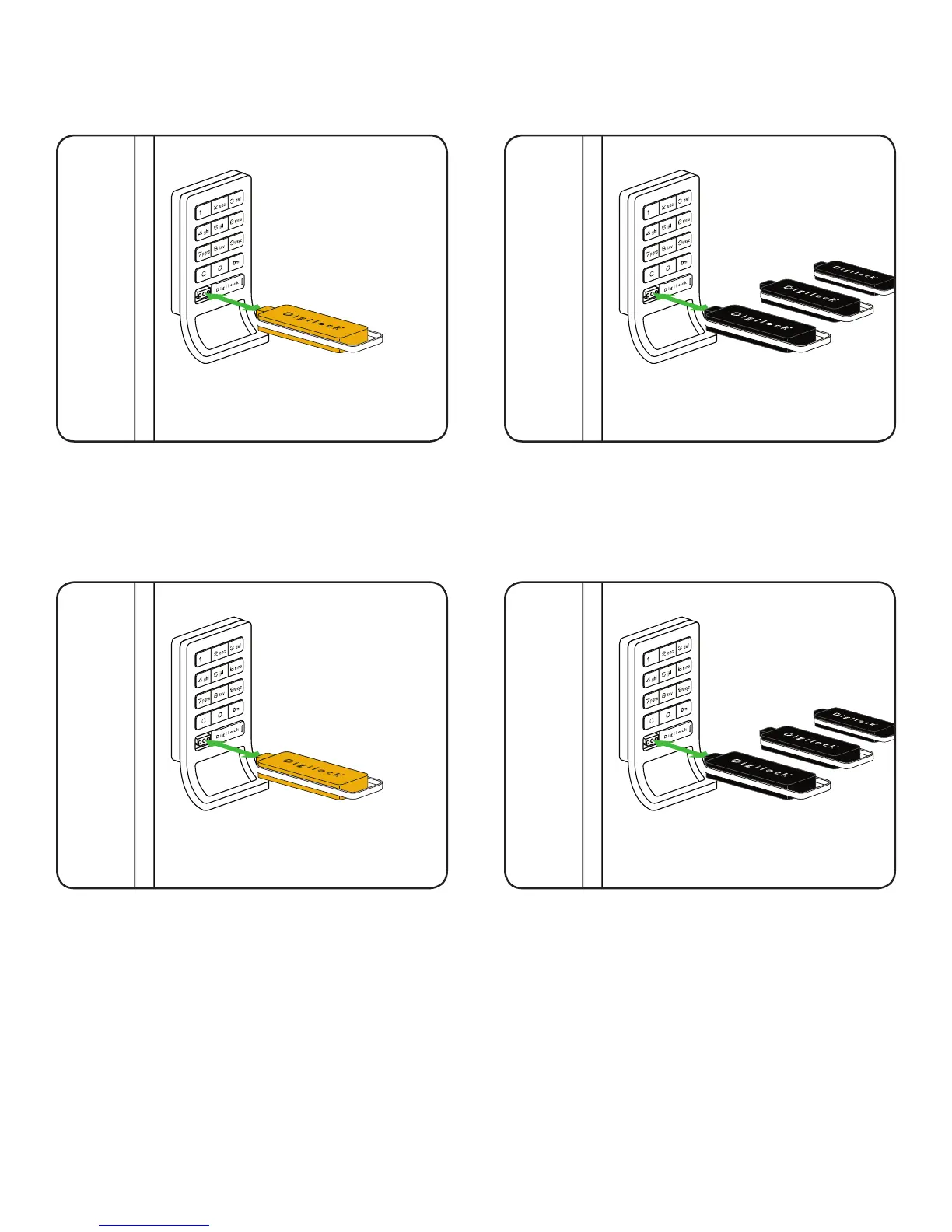
Start at locker #1. Touch the Programming Key (yellow)
to the key slot for one full second.
A two tone beep will be heard and the LED light will
turn solid. The lock is now in programming mode.
1
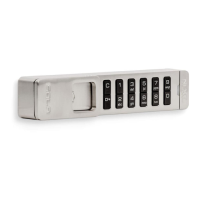
When you have nished touching all of your Manager
Bypass Keys (black), end programming mode by
reinserting the Programming Key (yellow).
A two tone beep will be heard and the LED light will
turn off. This lock is initialized and programmed with
the Manager Bypass Key(s).
3


 To Next Page