11
9 Setting the Setpoints
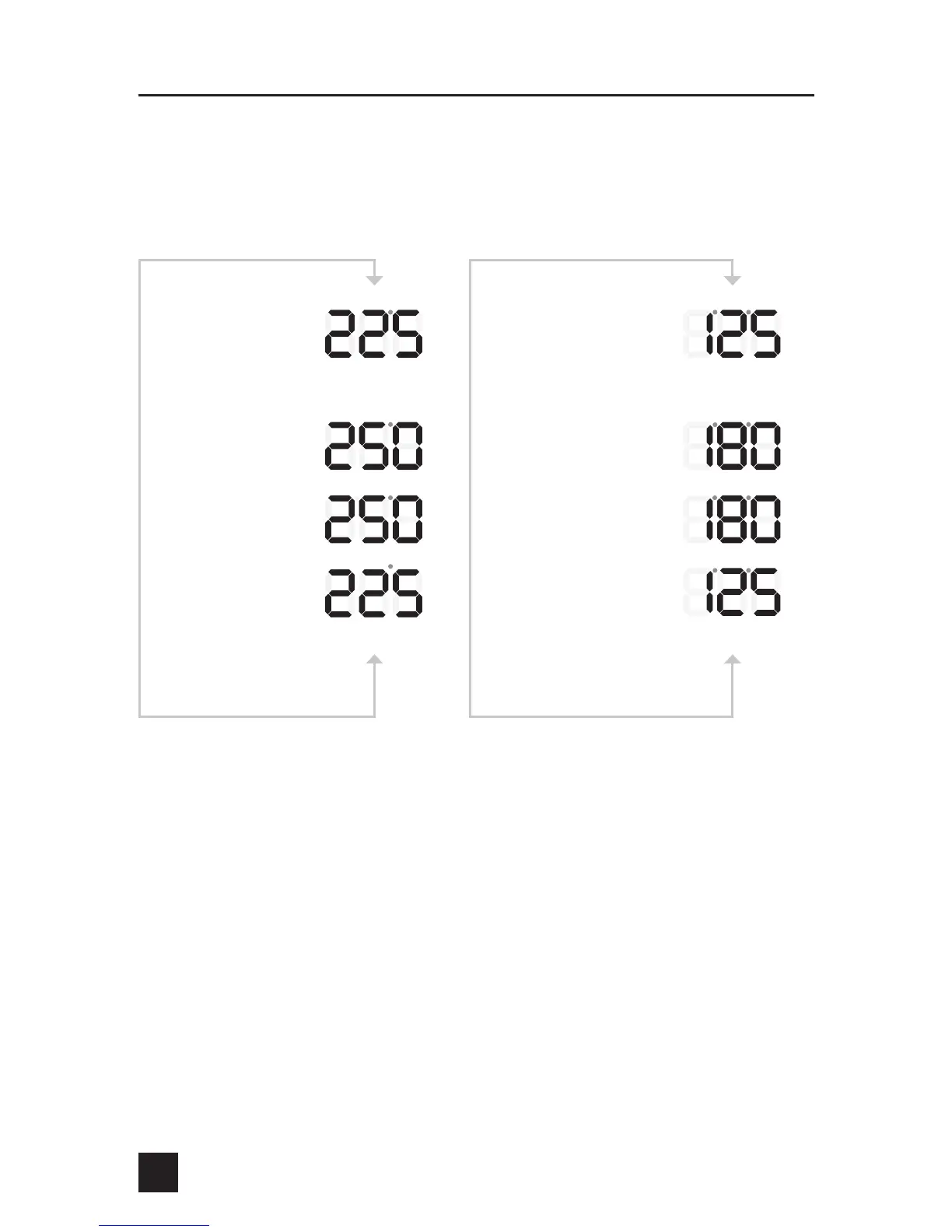
To display the pit setpoint temperature, tap the UP or DOWN key while displaying
the pit temperature. To set the pit setpoint simply press the UP or DOWN key.
To display the food setpoint temperature, tap the UP or DOWN key while displaying
the food temperature. To set the food setpoint simply press the UP or DOWN key.
From PIT Temp Display
Press To Raise
Press q To Lower
Reverts Back to Current PIT
Temp Display
PIT Setpoint Display
Blinks During Set
Confirmation of Setting
From FOOD Temp Display
Press To Raise
Press q To Lower
Reverts Back to Current FOOD
Temp Display
FOOD Setpoint Display
Blinks During Set
Confirmation of Setting


 To Next Page