9
8 The Display
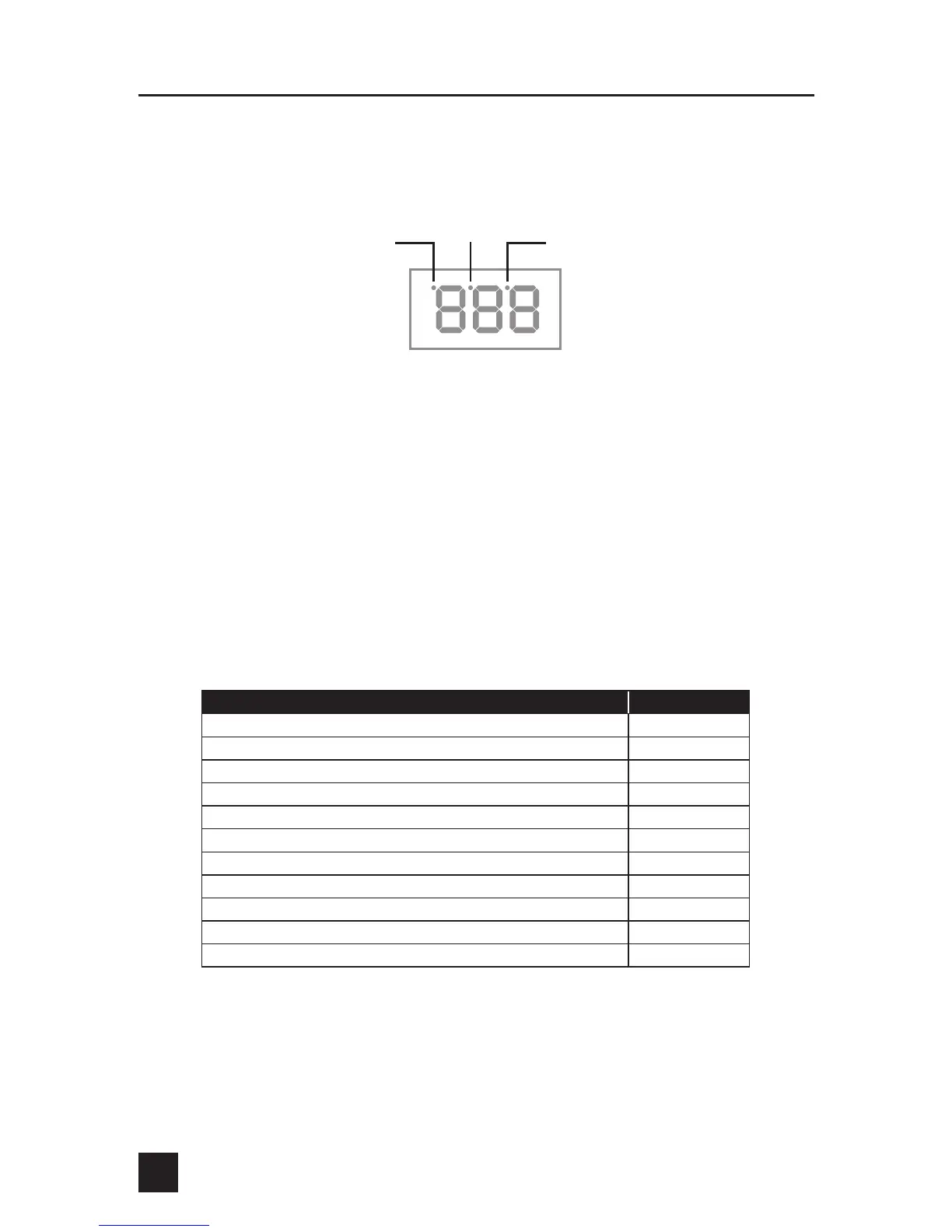
The DigiQ DX3’s three digit LED display has three status indicators.
FAN STATUS INDICATOR
The Fan Status Indicator and Fan Display Warble will help determine how the fire
is being controlled. When there is sufficient fuel in the pit, the fan will gently puff
the fire, feeding it little bursts of oxygen. When the fan is energized, the display will
blink about once per second (fan warble) and the Fan Status indicator will turn on.
When the pit starts to run out of fuel, the fan will run almost all of the time.
DETERMINING THE OUTPUT PERCENTAGE FROM THE FAN WARBLE
The Fan Warble is designed so that the output percentage of the fan can be
determined by counting how many display blinks (warbles) occur in a given cycle as
per the table below:
TIP: If the output percentage is around 80-100% for a long time, the pit may be
running out of charcoal. If the output percentage is around 10% for a long time and
the temperature is oscillating, close the fan damper adjustment slightly
for better control.
BLINK PATTERN OUTPUT %
None 0
... (1 Blink) g (Pause) g (1 Blink) g (Pause) ...
10
... (2 Blinks) g (Pause) g (2 Blinks) g (Pause) ...
20
... (3 Blinks) g (Pause) g (3 Blinks) g (Pause) ...
30
... (4 Blinks) g (Pause) g (4 Blinks) g (Pause) ...
40
... (5 Blinks) g (Pause) g (5 Blinks) g (Pause) ...
50
... (6 Blinks) g (Pause) g (6 Blinks) g (Pause) ...
60
... (7 Blinks) g (Pause) g (7 Blinks) g (Pause) ...
70
... (8 Blinks) g (Pause) g (8 Blinks) g (Pause) ...
80
... (9 Blinks) g (Pause) g (9 Blinks) g (Pause) ...
90
Continuously Blinking 100
Food temp is
displayed when
LED is on
Ramp status LED
ON = Ramp Enabled
BLINK = Ramp
Fan status LED on
& display blinks when
fan is energized


 To Next Page