12
10 Setup Menu
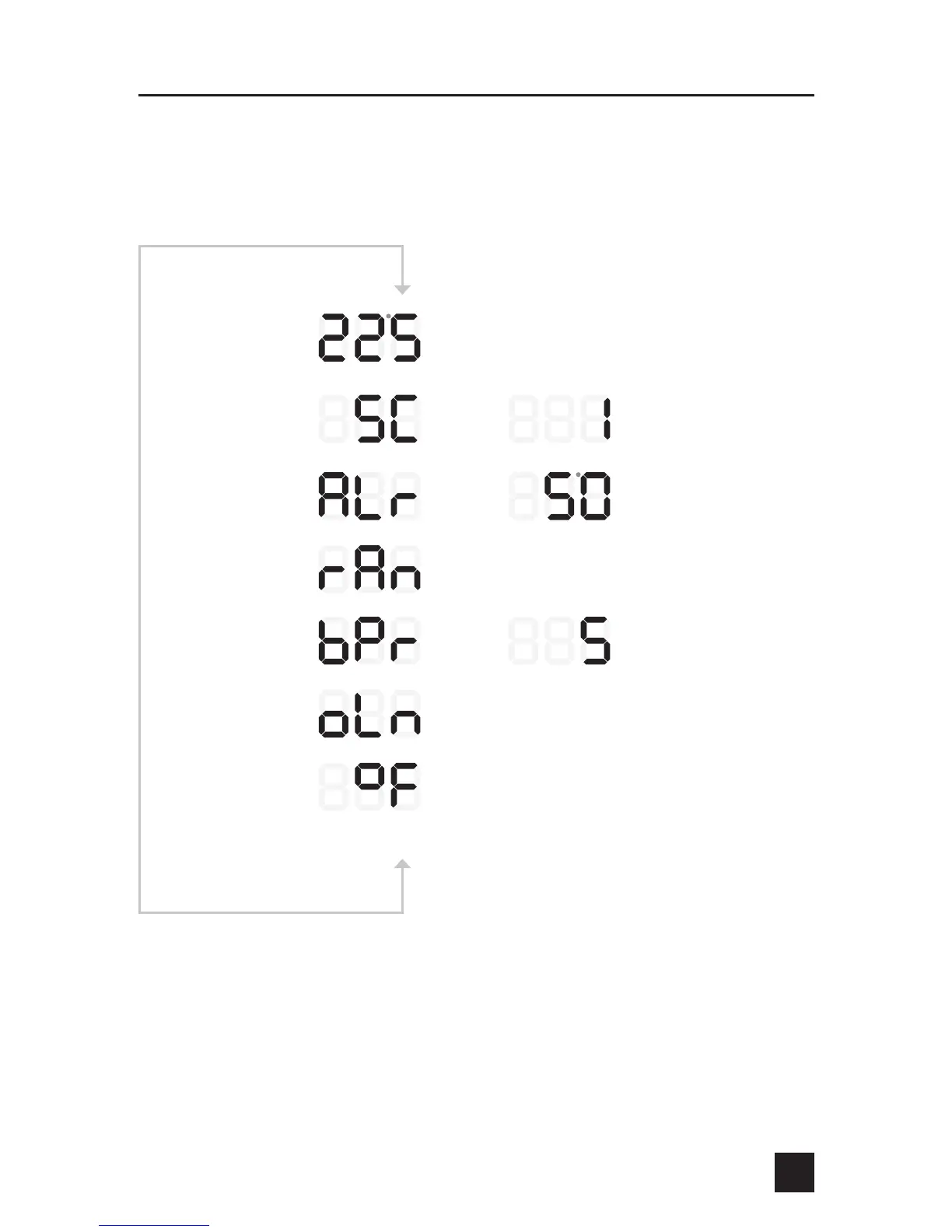
Press the UP & DOWN keys simultaneously to enter the setup menu. The screens
below are shown in the order they appear as the UP + DOWN keys are pressed
again. When the F/C select is reached and the UP + DOWN keys are pressed
again, the setup menu loops, so the pit temperature will be displayed again.
and q
and q
and q
and q
and q
Press and q
From PIT or FOOD Display
Beeper Intensity (0-10)
Alarm Deviation Set Point
(20-125° F)
Open Lid Detect
Yes or No Select
Ramp Yes or No Select
Press to Select Yes
Press q to Select No
Press to increase
Press q to decrease
Press to increase
Press q to decrease
Flashing
and q
Smark Cook Setting
Press to increase
Press q to decrease
Flashing
Flashing
Press to Select Yes
Press q to Select No
Press to Select DEG F
Press q to Select DEG C
Temperature Select


 To Next Page