EasyManua.ls Logo

DIGISYNTHETIC DS216A - User Manual

DIGISYNTHETIC DS216A
13 pages
Print Icon
To Next Page IconTo Next Page
Loading...
DIGISYNTHETIC PRO
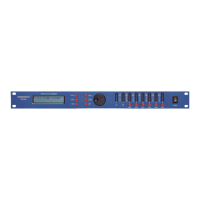
DIGITAL SPEAKER PROCESSOR MODEL DS216A
<BACK
NEXT>
MENU
ENTER
GAIN
QUIT
MUTE
MUTE
5
6
--
A
--
A
--
B
--
B
MUTE
MUTE
MUTE
MUTE
1
2
3
4
CLIP
LIMIT
-3
-6
-12
-24
-30
CLIP
LIMIT
-3
-6
-12
-24
-30
CLIP
LIMIT
-3
-6
-12
-24
-30
CLIP
LIMIT
-3
-6
-12
-24
-30
CLIP
LIMIT
-3
-6
-12
-24
-30
CLIP
LIMIT
-3
-6
-12
-24
-30
CLIP
LIMIT
-3
-6
-12
-24
-30
CLIP
LIMIT
-3
-6
-12
-24
-30
CLIP
LIMIT
-3
-6
-12
-24
-30
CLIP
LIMIT
-3
-6
-12
-24
-30
CLIP
LIMIT
-3
-6
-12
-24
-30
CLIP
LIMIT
-3
-6
-12
-24
-30
CLIP
LIMIT
-3
-6
-12
-24
-30
CLIP
LIMIT
-3
-6
-12
-24
-30
POWER
DIGITAL SPEAKER PROCESSOR
DIGITAL
SPEAKER
PROCESSOR
DS216A
INSTRUCTION MANUAL
DS214A
Question and Answer IconNeed help?

Do you have a question about the DIGISYNTHETIC DS216A and is the answer not in the manual?

Summary

Important Safety Instructions

Features Overview

Front Panel Description

Rear Panel Connections

Operation Guide

Xover Submenu

Configure crossover modes, store, and load settings.

Security Submenu

Manage parameter locking and security codes.

System Submenu

Adjust system-wide settings and input linking.

Interface Submenu

Set RS232 baud rate and remote ID.

Parameter Adjustment

Adjust gain, phase, and delay for inputs/outputs.

HPF & LPF Configuration

Configure High-Pass and Low-Pass filters with various slopes.

Parametric Equalizer (PEQ)

Adjust Parametric Equalizer settings (frequency, Q, gain, shelving).

Limiter Settings

Configure input/output limiter parameters.

Input Signal Monitoring

Check current input channel status.

Technical Specifications

DIGISYNTHETIC DS216A Specifications

General IconGeneral
BrandDIGISYNTHETIC
ModelDS216A
CategoryProcessor
LanguageEnglish

Related product manuals