EDGEVIS HD-IP150 HARDWARE INSTALLATION GUIDE
ISSUED: 10 NOVEMBER 2020 PAGE 4
Section 1- Basic operations of the unit
The EdgeVis HD-IP150 is a small and robust device, ideally suited for use in
fixed installations for the recording and live streaming of video from a
single IP camera.
Device connectors
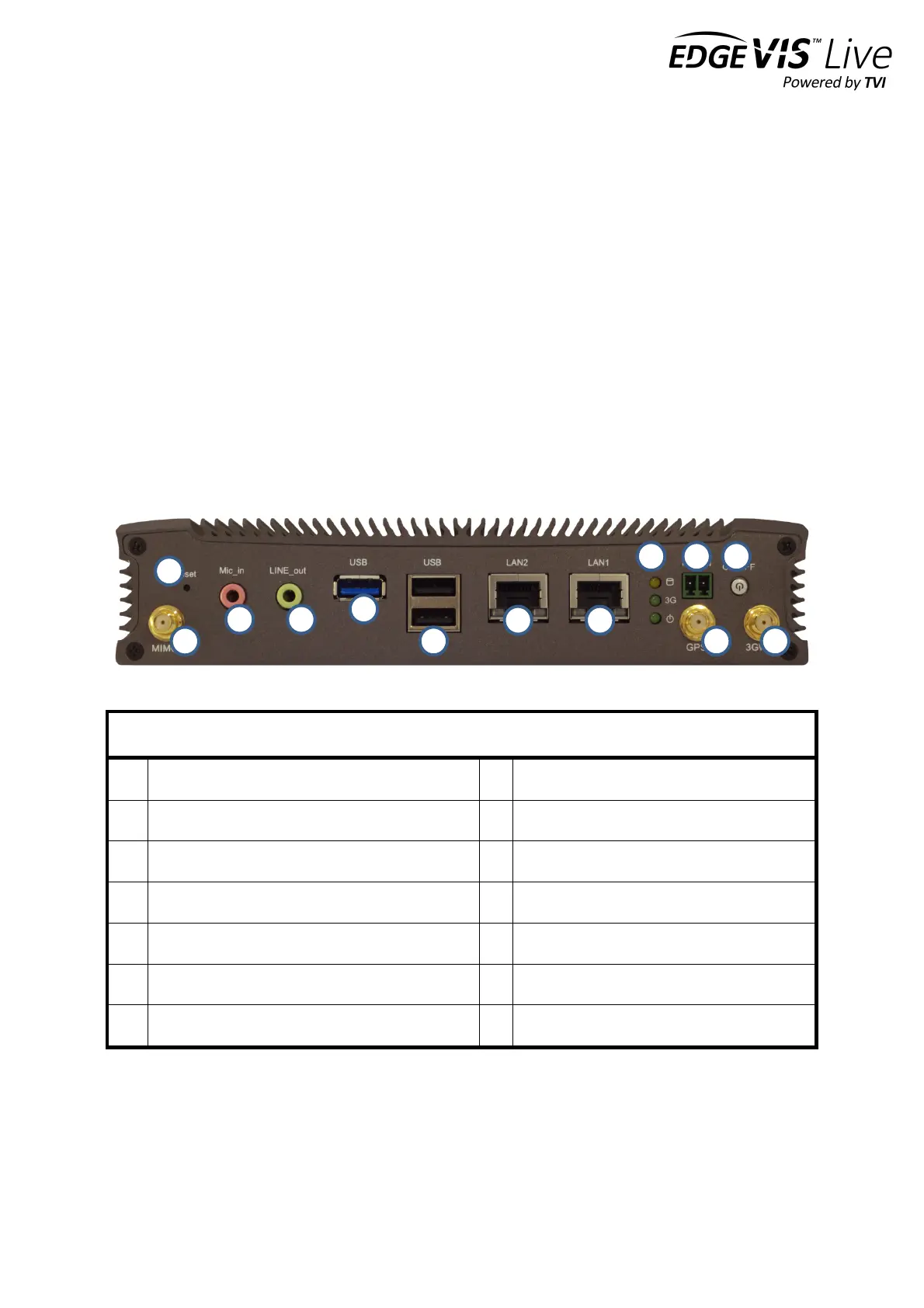
The HD-IP150 features integral TVI streaming using an internal 4G modem, external Wi-Fi adapter or wired LAN, and
archiving onto built-in SSD/HDD. The device supports the connection of one IP camera. Connectors for the HD-IP150
are shown below. Items shown in italics are not currently utilised on the device – but may be supported in future
product releases.
LAN1 port (typically for IP camera connection)
Microphone input connector
Remote power switch connector
Audio Line output connector
USB 3.0 port (recommended for external disk)
USB 2.0 ports x2. For keyboard, mouse, etc.
LAN2 port (typically for wired server connection)


 To Next Page