EDGEVIS HD-IP150 HARDWARE INSTALLATION GUIDE
ISSUED: 10 NOVEMBER 2020 PAGE 7
Section 2 - Configuring communications on the HD-IP150
The HD-IP150 supports communications over 3G/4G cellular, Wi-Fi and
wired LAN connections. A cellular connection requires the insertion of a
valid SIM card. Each of the communication methods are set up using the
HD-IP150 web-interface Comms Settings page. More detailed
information on HD-IP150 set up can be found in the IP Series Setup Guide.
Connecting over a 3G/4G cellular network
A valid mobile SIM card is required in order to connect the HD-IP150 over a cellular communications bearer. The unit
has an inbuilt modem for 3G/4G connection with a 3G/4G antenna connector on the front of the device. Note: despite
the ultra-efficient bandwidth usage achieved by TVI, the HD-IP150 is considered a heavy data use product on cellular
networks. It is recommended that an unlimited data plan (or if unavailable, a heavy consumption data plan) is set up
with your Mobile Network Service Provider for use with the HD-IP150.
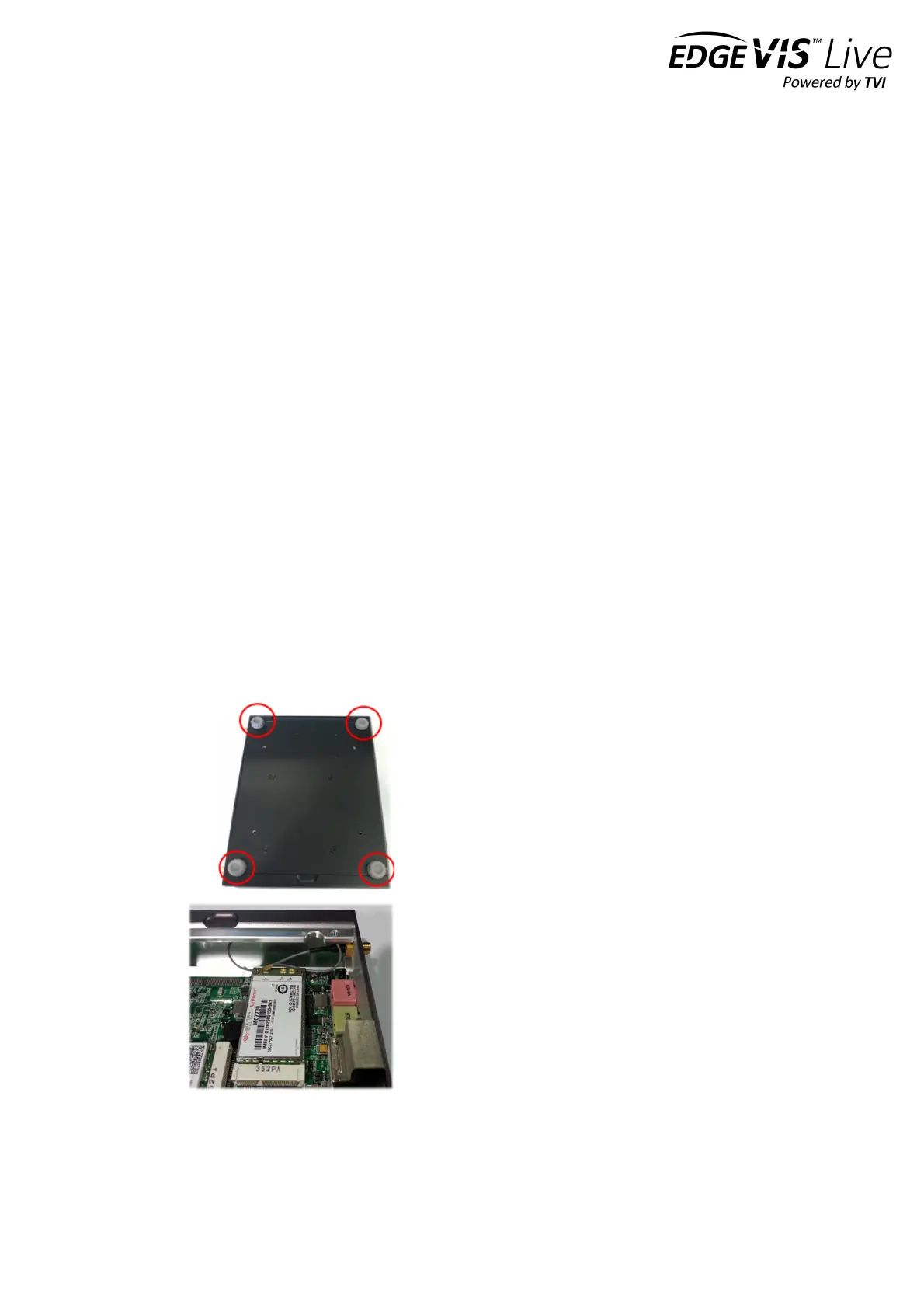
The SIM card holder is located under the cellular modem card. In order to insert/change the SIM card, you must open
the bottom plate of the HD-IP150 unit and remove the cellular modem card to expose the SIM holder. Please ensure
the unit is powered down before attempting this operation. Follow the instructions below to insert a SIM card.
Note it is recommended that when changing the SIM, suitable ESD precautions should be taken to avoid damage to
the HD-IP150.
Step 1
Remove the four fixing screws from the bottom plate of
the unit and retain. Lift the bottom plate to access the
modem card.
Step 2
Remove thermal pad from the modem


 To Next Page