EDGEVIS HD-IP150 HARDWARE INSTALLATION GUIDE
ISSUED: 10 NOVEMBER 2020 PAGE 9
Connecting over a Wi-Fi network
The HD-IP150 supports Wi-Fi communication through the use of an external USB Wi-Fi Dongle (supplied). Please refer
to Appendix A of the IP Series, HD-Q800, 4K-R800 - Setup Guide for a list of supported devices.
Plugging a compatible dongle into the HD-IP150 before powering the unit will make Wi-Fi available as a comms bearer
within the IP Series web configuration interface.
Connecting over a wired LAN connection
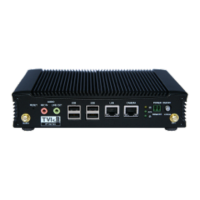
When using a wired LAN connection as the communications bearer, connect an Ethernet cable into the LAN connector
on the front of the HD-IP150. Details for the LAN connection must be entered during the device setup – details of
which are covered in Section 1 of the IP Series Setup Guide.


 To Next Page