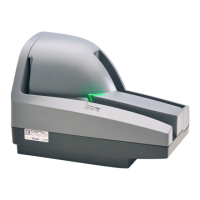
CheXpress® CX30 User’s Manual_Rev 020309
6
Bottom View of the CheXpress® CX30
Fig. 2
Power Connecto
USB Port
Cable Channels
CheXpress® CX30 Installation
Un-Boxing the CheXpress® CX30
Step 1: Lay the box on it’s side and slide out the packaing and scanner. Lift off the top
plastic insert (USB cable is inside), then lift the scanner from the bottom insert.
Fig. 3
USB Cable
(Inside / on top of
plastic insert)
Scanner wrapped
in plastic bag
Inkjet Cartridge
Power Su
l
WARNING:
Before powering on the scanner, you will want to install the USB driver. See
‘Installing the Driver Files’ section on page 8 for instructions.
Setting Up The Scanner
1. Install USB driver onto operating PC before connecting device (see section on
Installing USB Driver)
2. Place the unit on a flat surface near the PC and away from direct light.



 To Next Page
 Loading...