Need help?
Do you have a question about the Digital Check CheXpress CX30 and is the answer not in the manual?
Lists the components included in the CheXpress® CX30 package.
Outlines the recommended and minimum PC specifications for operating the scanner.
Discusses the scanner's compliance with FCC rules regarding radio frequency emissions.
Explains the scanner's features, scanning modes, and power mechanism.
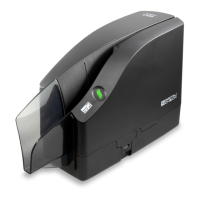
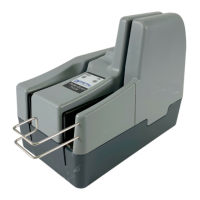
Identifies external components of the CheXpress® CX30 scanner with a diagram.
Details scanner ports, cable channels, and provides un-boxing instructions.
Guides initial scanner setup, including driver installation and placement.
Provides instructions for installing or replacing the rear endorser inkjet cartridge.
Guides users through downloading and installing the USB driver for Windows.
Explains Windows hardware detection and expected LED status after driver installation.
Instructs on downloading and using ScanLite demo software for testing and cleaning.
Describes the initial LED status when the scanner is waiting for PC and power connection.
Explains the standard sequence of LED lights during scanner operation and error conditions.
Provides step-by-step instructions for inserting checks into the manual feed scanner.
Details how to open the top cover of the scanner by releasing tabs.
Explains how to open the outer camera door to access and clean the cameras.
Describes how to open internal path access doors for clearing jams or cleaning.
Provides instructions for reattaching the center cover after accessing internal components.
Illustrates correct and incorrect methods for disconnecting cables to prevent damage.
Provides steps for clearing paper jams and addresses document feeding problems.
Suggests cleaning scanheads for image quality issues like streaking or fading.
Offers tips for preventative maintenance, including inspecting the track and using cleaning cards.
Details cleaning scanner components and recommends necessary cleaning supplies.
Explains how to use the ScanLite program to facilitate the cleaning card process.
Provides important tips to avoid issues like sticker residue, 'White Out', and debris.
Outlines steps for cleaning the scanner path and dust collection bin using compressed air.
Provides instructions for cleaning scanhead glass areas when images are unclear.
Describes mis-feed and document stopped errors and their troubleshooting steps.
Details 'No Checks' and 'No Print Head' errors and their resolution.
Covers the 'No Scanner' error, focusing on USB connection and PC recognition.
Points to resources, cartridge yield info, and provides contact details for support.
Answers questions on scanning speed, image skewing, and LED status sequence.
Covers cleaning frequency, cartridge yield, and supported document dimensions.
Recommends safe distances for power supplies to prevent interference with the MICR head.
Details paper sizes, scanning method, resolution, speed, image format, and MICR.
Covers diagnostics, software, options, electrical, ratings, and certifications.
Provides the corporate headquarters address, phone, fax, website, and email.
 General
| Scan Speed | Up to 30 documents per minute |
|---|---|
| Interface | USB 2.0 |
| Image Technology | Contact Image Sensor (CIS) |
| Operating Systems Supported | Windows 7, 8, 10 |
| Feeder Capacity | Up to 50 Items |


 To Next Page