Need help?
Do you have a question about the Digital Check TellerScan TS240 and is the answer not in the manual?
Explains compliance with FCC rules regarding radio frequency energy.
Lists the recommended and minimum hardware and software specifications for the scanner.
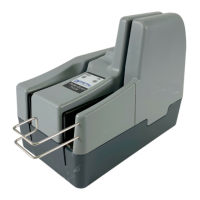
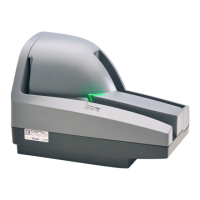
Identifies external components like the Exit Tray and Entry/Input Tray.
Identifies rear components like the USB Port and Power Connection.
Important advisory for new users regarding driver and software installation.
Provides instructions on connecting cables and positioning the scanner for optimal use.
Guides users through the installation of the scanner's USB driver.
Instructions for installing ScanLite2, a utility for scanning and testing.
Explains the meaning of scanner LED lights (Red, Green, Off) for operational status.
Details how to access the scanner's internal document path for maintenance.
Instructions for opening the camera door assembly to access the cameras.
Steps to properly close and lock the scanner's camera door after access.
Overview of periodic cleaning and inspection to ensure reliable performance.
Guidance on inspecting the document track and removing debris.
Procedure for cleaning the scanner's camera glass using a swab or cloth.
Troubleshooting steps for issues with documents not feeding correctly into the scanner.
Instructions on how to safely remove jammed documents from the scanner's paper path.
Guidance on resolving issues like streaking or fading in scanned images.
Steps to diagnose and resolve errors related to Magnetic Ink Character Recognition.
How to access and use the scanner's diagnostic pop-up for troubleshooting information.
Discusses the benefits of using a check jogger for document alignment and productivity.
Provides the recommended frequency for cleaning the scanner's drive rollers.
Explains the expected sequence of LED lights during scanner operation.
Advice on positioning the scanner away from devices that may cause MICR read interference.
Information on the expected lifespan and handling of the ink cartridge.
Specifies the maximum number of documents the entry tray can hold.
Specifies the maximum number of documents the exit pockets can hold.
Details the scanning throughput speeds (DPM) for different TS240 models.
 General
| Model | TellerScan TS240 |
|---|---|
| Category | Scanner |
| Interface | USB 2.0 |
| Operating System Compatibility | Windows 7, 8, 10 |
| Power Supply | 100-240 VAC, 50/60 Hz |
| Speed | Up to 100 documents per minute |
| Resolution | 300 dpi |
| Feeder Capacity | 100 documents |
| Image Type | Grayscale |
| MICR Read Rate | 99% |

 To Next Page