TellerScan
®
TS240 User Manual
Rev 122013
Page | 24
TellerScan TS240 Frequently Asked Questions
Is Using a Check Jogger Recommended?
Yes, to provide consistent alignment of documents, increase productivity and to reduce operator fatigue. Digital
Check recommends using our MJ1000 Check Jogger (PN: 130600 – available at www.digitalcheck.com)
What is the Typical Cleaning Interval?
The recommended cleaning interval for the TS240 is approximately every 8,000-10,000 scans. Use a
combination of the Digital Check Cleaning Swabs and Cleaning Cards to clean the drive rollers. See the
‘Cleaning the TS240 Drive Rollers’ section for additional information.
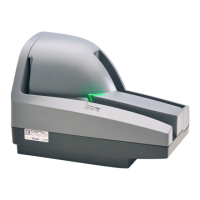
What is the LED Status Light Sequence?
The proper LED sequence is for the LED to turn ‘Red’ when the ‘Power Supply’ and ‘USB’ cables are
connected to the scanner and to an outlet and the PC. This is followed by the LED turning ‘Green’ once the
application or scanning software is running and detects the scanner. If the LED does not turn ‘Red’, check the
‘USB’ and ‘Power Supply’ cable connection and the power source.
What About Avoiding MICR Read Head Interference?
Keep the TS240 ‘Power Supply’ and others, small desk fans, pneumatic tubes at the teller window or similar
devices at least 6-12 inches away from the scanner to keep them from interfering with the magnetic read head.
How Long Does the Ink Cartridge Last?
Once opened, the practical life of the ink cartridge is six to twelve months depending on usage and
environment. However, the rated character yield on the inkjet cartridge is between 5-7 million characters. Do
not shake or drop to cartridge which can cause the printing to fail. Digital Check recommends keeping a spare
cartridge on hand in case the current cartridge cannot be used.
What is the Entry Tray Capacity?
The entry tray can accept up to 100 standard checks in good condition at a time.
What is the Exit Pocket(s) Capacity?
Up to 100 standard checks in good condition at a time can be stacked in either of the exit pockets.
How Many Checks Per Minute Should My TS240 Scan?
The TS240 has a rated throughput speed of up to 50, 75,100 or 150 documents per minute (DPM) depending
on the specific model (TS240-50, TS240-75, TS240-100, TS240-150). Actual throughput will vary depending
on the PC configuration, physical size of the items scanned, simple or complex endorsement and the speed of
the application.


 To Next Page