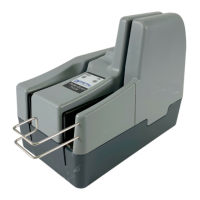
TellerScan
®
TS240 User Manual
Rev 122013
Page | 10
Installing the 4 Line Printer Ink Cartridge
Follow these instructions when installing the ink cartridge for the first time, or when replacing an empty
cartridge.
Note: The following steps must be followed when installing a new cartridge, replacing a cartridge or prior to
troubleshooting any application related inkjet errors.
1.) Cartridge must be at room temperature (65-80 degrees) before being installed
2.) Insert the 4 line print cartridge
3.) Wait 10 seconds (the cartridge will perform a self-check during this period)
4.) The scanner is now ready to be used
Step 1: Lift up on the ‘Center Cover’ to remove it and provide access to the ‘Ink Cartridge Platform’.
Step 2: Open the ink cartridge pouch and remove the protective tape covering the ink nozzles. Be careful not
to touch the ink nozzle with your fingers or allow it to come in contact with anything else.


 To Next Page