Copyright 2007 RTcom USA., Inc.
12
odd parity
et IP address should be set first.
Stop bit:
“00”: 1 bit, “01”: 2 bit
Parity bit:
“ 00 ” : disable , “ 01 ” : even parity , “ 02 ” :
4-2 LAN (TCP/IP) communication setting
In order to control the matrix through LAN, intern
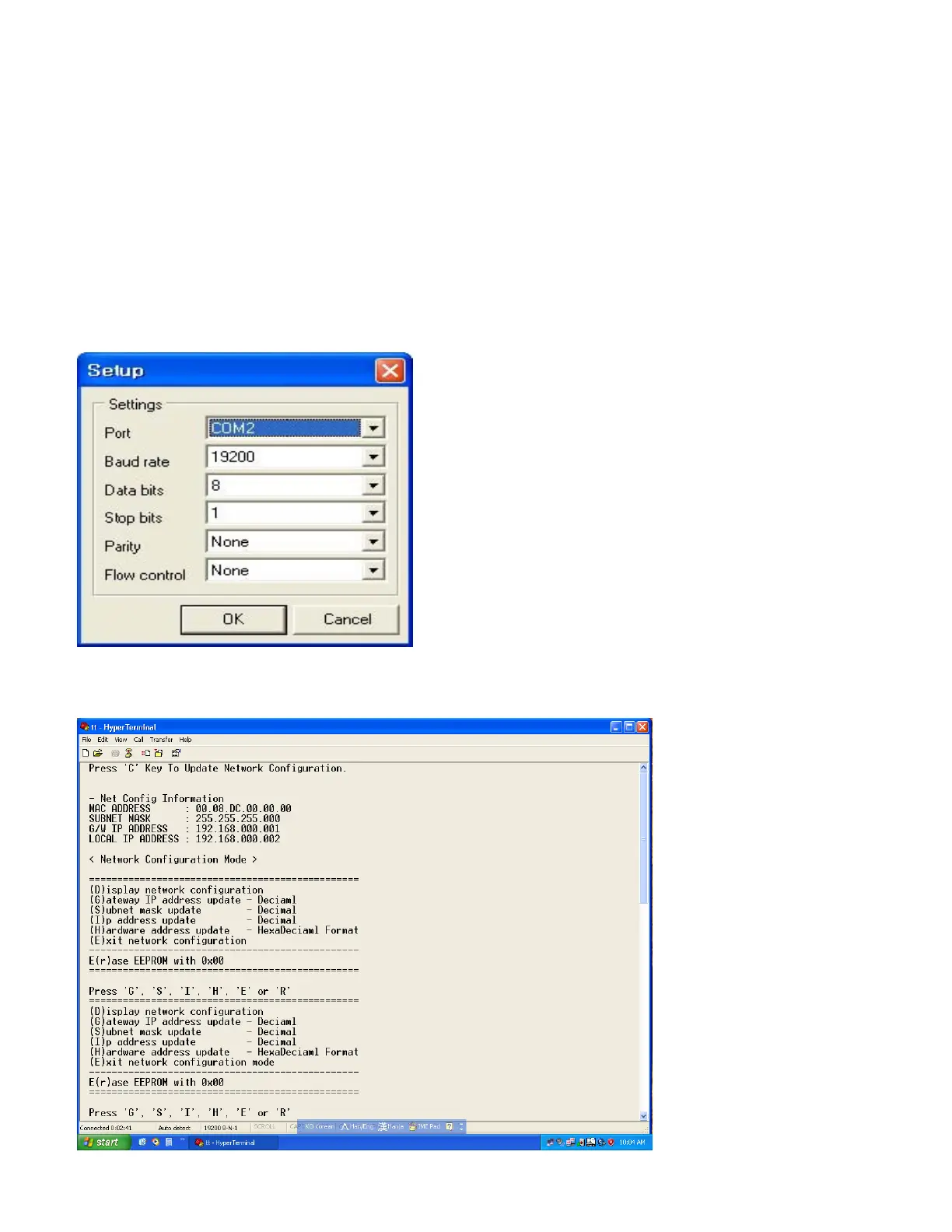
Set up as follows:
-Execute MultiTerm.exe or hyper terminal program
-RS-232 setting for communication with matrix.
After setting as above, please connect communication cable via RS232 and then turn o
Press ‘C’ Key on keyboard to open the network IP set up screen (1 or 2 second afte
If it does not show the Network Configuration Mode as shown below, please turn it of
n power switch
r matrix turned on)
f and on again.



 To Next Page