
 Need help?
Do you have a question about the Digital Loggers Ethernet Power Controller 7 and is the answer not in the manual?
Automatically reboots network devices by cycling power when IP addresses become unresponsive.
Provides 8 individually controlled switched outlets and 2 always-on unswitched outlets for flexible power management.
Access, configure, and control the power controller via any web browser using its IP address.
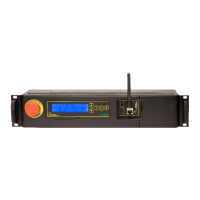
Features a 2x16 LCD for status display and a front-panel keypad for local control and custom messages.
Provides essential steps for first-time installers to quickly connect and configure the device.
Guides users on configuring network adapter TCP/IP properties in various Windows versions.
Details assigning a static IP address and temporarily disabling DHCP for network configuration.
Focuses on manually switching individual outlets on and off via the web interface.
Outlines configuration options for outlet naming, web links, and startup delays.
Introduces Lua scripting for customizing controller behavior and automating tasks.
Guides on assigning descriptive names to the controller and individual outlets for easier identification.
Sets the interval between consecutive checks of a target IP address for the AutoPing feature.
Configures the number of consecutive failed ping attempts before initiating a power cycle reboot.
Specifies the waiting period after a power cycle before AutoPing re-checks the device's IP address.
 General
| Model | Ethernet Power Controller 7 |
|---|---|
| Number of Outlets | 7 |
| Network Interface | Ethernet |
| Remote Control | Yes |
| Overload Protection | Yes |
| Maximum Current per Outlet | 15A |
| Maximum Total Current | 15A |
| Communication Interface | Ethernet |
| Power Consumption Monitoring | Yes |
| Control Method | SNMP, Telnet |
| Protocols | HTTP, SNMP, Telnet |
| Power Monitoring | Yes |
| Control Protocol | SNMP |
| Operating Temperature | 0 to 50°C |

 To Next Page