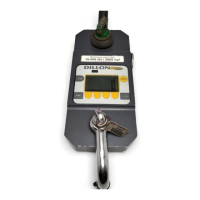
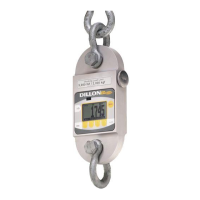
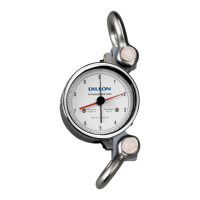
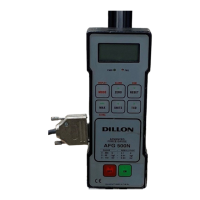
The Dillon ED-2000plus Electronic Dynamometer with HR-2000 Remote is a portable electronic force or weight measurement instrument designed for various industrial applications. It offers both standalone operation and wireless communication capabilities with an HR-2000 handheld remote display, supporting multidrop systems with up to 255 devices.
Function Description:
The ED-2000plus measures force or weight and displays the readings on a 6-digit LCD. It operates in three main modes: Normal Operation, Device Information, and Configuration.
- Normal Operation Mode: This is for daily use, displaying current gross values in selectable units (pounds, kilograms, kiloNewtons, metric tons). It includes features like tare (net reading), peak hold (capturing maximum and minimum readings at 60 times per second), and an internal shunt test for measuring bridges. The selected unit of measure is saved when the power is switched off.
- Device Information Mode: Allows viewing of device-specific data such as serial number, load element number, software release number, device range, date of last calibration, calibration document reference, total number of calibrations performed, number of overloads beyond 125% capacity, and the communication address for multidrop applications. This information is read-only.
- Configuration Mode: Enables users to customize device settings, including filter values (damping factors for the load cell signal from 0 to 7), serial communication link (RS-485 or radio link), communication address (33 to 255 for multidrop), and baud rate (300, 1200, 2400, 4800, 9600, 19,200 baud). Changes made in this mode are permanently stored in nonvolatile memory, though some take effect only after a power cycle.
The device can output data via RS-232, either directly from the dynamometer or through the HR-2000 remote. Data can be sent by pressing the DATA SEND key or by an external computer sending an ENQUIRE code. The output format is xxxxx.x uu CR/LF, where x is the force value, uu is the unit of measure, and CR/LF are carriage return and line feed.
Important Technical Specifications:
- Capacities: Available in various ranges from 2,000 x 0.5 lb (1,000 x 0.2 kg) up to 100,000 x 20 lb (50,000 x 10 kg), including kiloNewton and metric ton equivalents.
- Construction: Aluminum alloy for 2-, 5-, and 10,000 lb models; Stainless steel for 20-, 50-, and 100,000 lb models.
- Enclosure: NEMA 4X / IP66 rated, providing protection against dust, hosedown, and corrosive agents.
- Accuracy & Repeatability: 0.1% of rated capacity.
- Display: 6 LCD digits, 0.9" (22.5 mm) height.
- Update Rates: Display updates 2 times per second; Internal update rate is 8 times per second in normal mode and 60 times per second in peak hold mode.
- Ultimate Safety Factor: 5:1.
- Annunciators: LB, KG, KN, TONN, PH (peak hold), BAT (low battery).
- Control Keys: On/Off, Test, Clear/Zero, Peak hold, Function key, Units.
- Power: Standard 9V alkaline or lithium battery. Approximately 200 hours of use with alkaline battery, extendable with lithium. With the optional radio link, battery life is 36-48 hours.
- Operating Temperature: -4° to 140°F (-20° to 60°C).
- Calibration: Traceable to NIST, with a calibration certificate included with each unit.
- Optional Radio Link:
- Open air range: Up to 300 feet.
- Update rate: 2 times per second.
- RF signal output: 0 dBm in 50 at 25°C (FCC Part 15.249, TRS RSS-210).
- Frequency: 916.5 MHz.
Usage Features:
- RS-232 Operation: The ED-2000plus can be connected to a computer or data logger via RS-232. To enable this, press and hold the F key while pressing the ON key. Both the dynamometer and external device must be set to a baud rate of 2400.
- Radio-Link Communication (with HR-2000 Remote): The HR-2000 acts as a remote keyboard and display, communicating wirelessly via low-power radio or wired via RS-485. It has fixed communication parameters: RS-485 half duplex, 2400 bps baud rate, configurable own address, and stores the last used remote address.
- Multidrop System: The system supports multiple ED-2000plus units controlled by a single HR-2000, or multiple HR-2000 remotes in the same area. Each device requires a unique address to avoid interference. The HR-2000 polls devices by address, and the ED-2000plus responds if the address matches.
- Addressing Mode (HR-2000): Allows setting the destination address (for the ED-2000plus), source address (for the HR-2000), and poll value (number of HR-2000s in the area). A poll value of zero enables Manual Poll mode (polling only when UNITS key is pressed), and 255 enables Monitor mode (passive display of traffic from ED-2000plus to an active HR-2000).
- Battery Saving Features:
- Disabling Radio-Link Software: If the radio-link option is installed but not in use, disabling the radio portion of the software (via the SErch setting in Configuration Mode) extends battery life.
- Sleep Mode: A non-configurable feature that shuts down high-drain functions when no signal changes are received from strain gages, reactivating instantly upon signal or communication.
- RS-232 Mode (ED-2000plus): Activating RS-232 mode by pressing F+ON/OFF from power off conserves battery life by bypassing radio functions.
- Wireline Communication (HR-2000): Powering up the HR-2000 with F+ON/OFF disables radio communication, saving battery power.
Maintenance Features:
- Battery Replacement: When the low battery annunciator (BAT) appears, approximately five hours of usage remain. To replace the 9V battery in the ED-2000plus, remove two knurled thumb screws from the battery compartment cover, slide the battery down, pry it out, disconnect the old battery, connect a new one, and reassemble.
- Good Force Measurement Practice: The manual emphasizes proper load centering using shims, good pin fit with recommended shackle pin hole sizes, avoiding torque and bending by using swivels, and using certified shackles and lifting gear. It also highlights the importance of using hardware that allows single-point attachment and freedom of alignment to prevent off-axis loading.
Warning: The ED-2000plus is not suitable for use in magnetic environments. The HR-2000 is primarily for sending force/weight readings; unpredictable output may occur if print or enquire actions are performed while the ED-2000plus is in configuration mode.

 Need help?
 General

 To Next Page