15
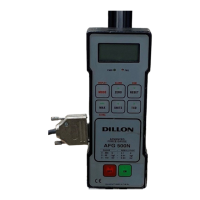
To power up for use with wired communication, use one hand to press and
hold the F key and use the other hand to press the ON/OFF key. Powering
up this way will turn off the radio communication and save battery power in
the HR-2000.
When you turn on the HR-2000 for wireline communication, the display will
show the software revision number (probably hr2001), then rS-485. When
communication with the connected ED-2000plus is established the display
will mirror the ED-2000plus display and the leftmost decimal point will blink
every ½ second. If communication is broken with the ED-2000plus, the
display will show a small o in the lower left of the display. If communication is
not resumed within ten seconds the display will show rS-485 and the letter r
will flash back and forth between inverted and upright.
You can set the address for each HR-2000 and ED-2000plus operating in a
given area so that they can work without interference. If several systems are
operating in the same airspace each HR-2000 and ED-2000 must have a
unique address. Since more instruments must share the same airwaves, the
update time for each unit will increase. Approximate times are shown in Table
7.
It is recommended to keep the ED-2000plus instrument addresses at 100 or
higher.
In multiple system environments the remotes must have their Source ad-
dresses and Poll parameters set appropriately. The source address must
start from address 32 and increase sequentially. The poll value must be equal
to the number of HR-2000s in the area.
You need to set the addresses according to the number of systems you have
operating in the area. See Table 7 below for the proper settings.
Addressing Mode
For Wireline Communication
Number of HR-2000 Poll value ED-2000plus Update time
HR-2000s Source address Destination address
2 32 2 100 1 second
33 2 101 1 second
3 32 3 100 1.5 second
33 3 101 1.5 second
34 3 102 1.5 second
4 32 4 100 2 second
33 4 101 2 second
34 4 102 2 second
35 4 103 2 second
Table 7
Addresses for multiple systems



 To Next Page