22 www.dimplex.com
Troubleshooting
For more troubleshooting and error codes, consult the Service Manual which can be found at
www.dimplex.com/product-downloads
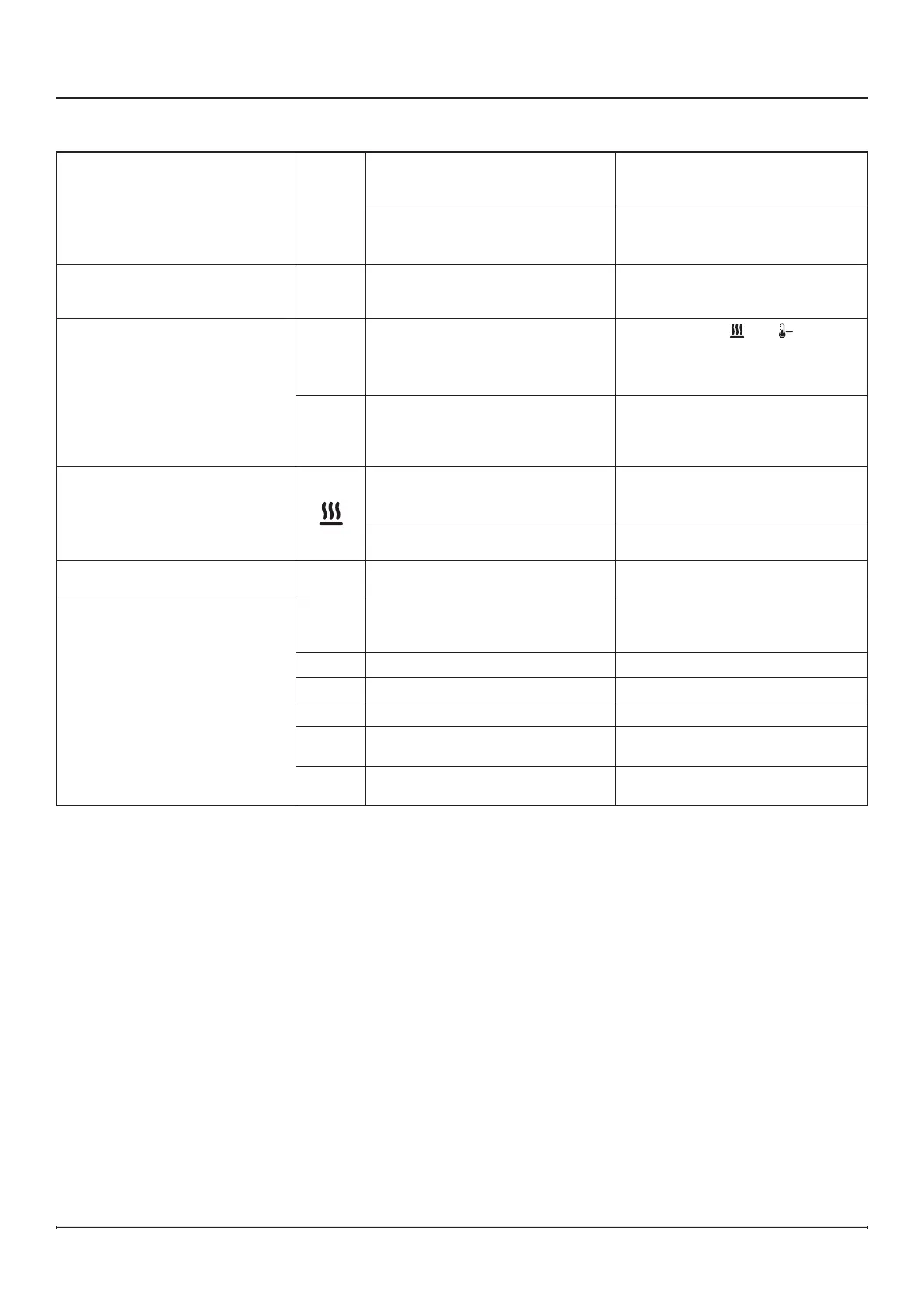
Problem Display Cause Solution
Fireplace does not turn on with
the hidden touch controls
N/A
No incoming power
Ensure unit is wired correctly
Check main disconnect panel
Ensure wall switch is on (if applicable)
Front glass was installed after unit
was powered on
Turn power off (from breaker or
outlet), install front glass before
turning power back on.
Fireplace does not turn on with
the remote control
N/A
The battery in the remote control
is dead or installed incorrectly
Replace remote control battery
Ensure battery is installed with +
facing up.
Heater does not turn on
---
Heater is disabled
Press and hold
and at the
same time on the hidden touch
controls for 3 seconds to disable
or enable the heat function.
H--
Heater has been permanently
disabled
If installation with heat is desired,
reinstall jumper on main board if
available or purchase new main
board.
Heater is on, but there is no heat
Normal operation — There is a
30-second delay before heater
starts
No action required.
Thermostat setting is below
ambient temperature
Turn up the thermostat setting to
be above ambient temperature
Circuit breaker trips or fuse
blows when unit is turned on
N/A Improper circuit current rating
Install unit on a dedicated
minimum 15 amp circuit.
Error Code is displayed
Err 1
Temperature cut-out is activated
Reset breaker and wait 5 minutes
before turning unit back on it. If
error persists, see Service Manual.
Err 2
L1 voltage is too high If error persists, consult an electrician.
Err 3
L1 voltage is too low If error persists, consult an electrician.
Err 4
L1 current is too high If error persists, consult an electrician.
Err12
Ambient temperature is
above45°C (113° F)
No action required.
Err13
Ambient temperature is
below5°C (41° F)
No action required.



 To Next Page