© 2006 Directed Electronics, all rights reserved
13
1-5 Direct tune to preset frequency on current Bank
Press and Hold : Store current station to current Bank
Press and Release : Recall
Repeat : Repeated press of the same button cycles
through secondary programs on multi-casting stations.
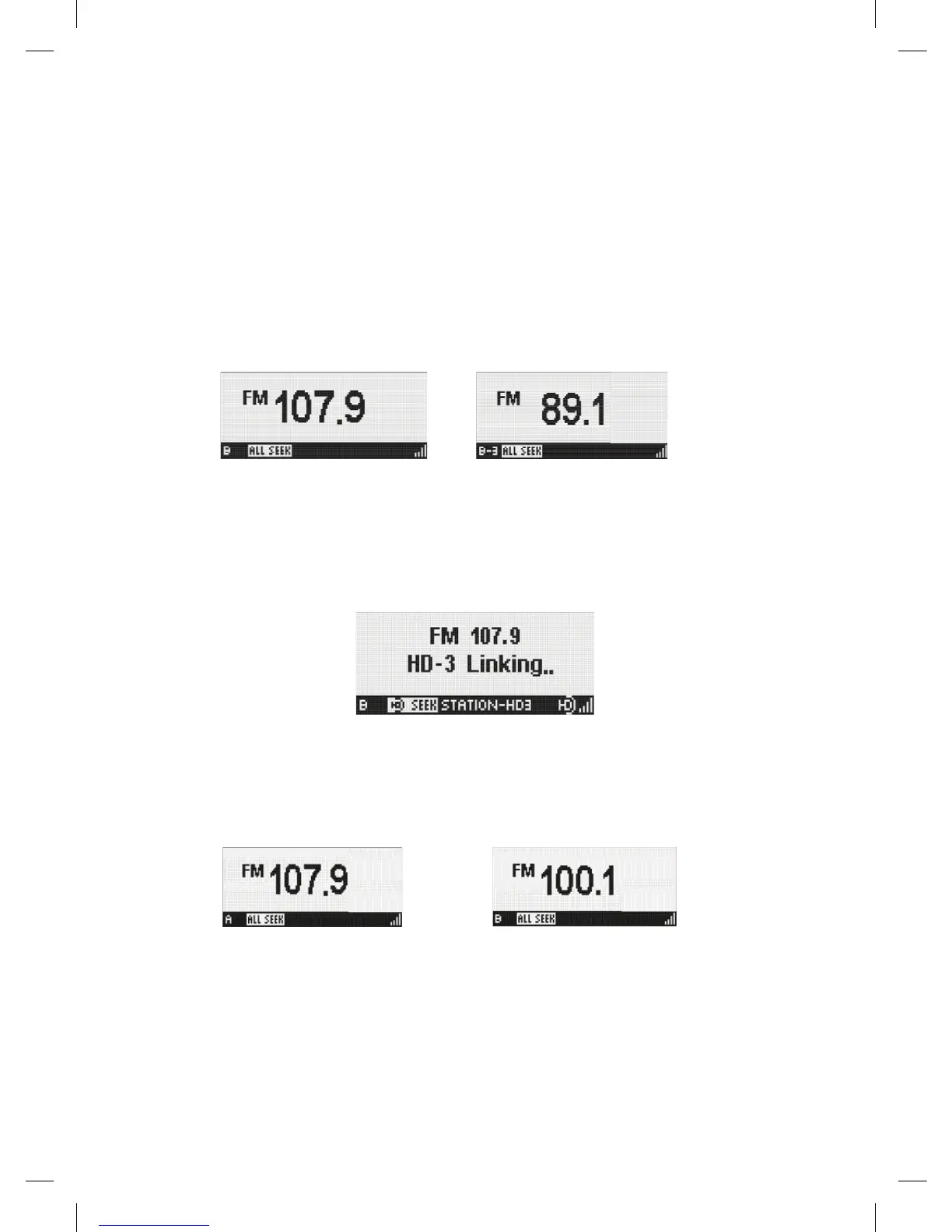
Ex) If press the button '3' in bank B mode,
EZHD User Interface Specification Rev 04
Ex) If press the button ‘3’ in bank B mode,
Æ
If saved channel is SPS channel, the unit is waiting for 10 seconds until the digital
signal is acquired. And shows ‘Linking’ screen overlay for 10 seconds. If saved
SPS channel is not acquired within 10 seconds, the unit jumps to main program
immediately.
BANK Move the memory space for preset tune. The Bank box is always displayed on
screen. When the bank changes, the radio tunes to the station last accessed in
the newly selected bank.
Æ
This button changes the bank in ascending order through all banks. Example A Æ
B Æ CÆ D ÆA (Wrap)
UP : Tune up
DOWN : Tune down
RIGHT : Seek up according to currently active Seek mode.
LEFT : Seek down according to currently active Seek mode.
NAVIGATION
SEL : No operation
MENU Enter to SETUP Mode
Display Mode 1 Same as Display Mode2
Display Mode 2
DISPLAY
Display Mode 3 Same as Display Mode 2
Kiryung Electronics Page 9of 22 Proprietary & Confidential
If saved channel is SPS channel, the unit is waiting for 10
seconds until the digital signal is acquired. And shows
'Linking' screen overlay for 10 seconds. If saved SPS
channel is not acquired within 10 seconds, the unit jumps to
main program immediately.
EZHD User Interface Specification Rev 04
Ex) If press the button ‘3’ in bank B mode,
Æ
If saved channel is SPS channel, the unit is waiting for 10 seconds until the digital
signal is acquired. And shows ‘Linking’ screen overlay for 10 seconds. If saved
SPS channel is not acquired within 10 seconds, the unit jumps to main program
immediately.
BANK Move the memory space for preset tune. The Bank box is always displayed on
screen. When the bank changes, the radio tunes to the station last accessed in
the newly selected bank.
Æ
This button changes the bank in ascending order through all banks. Example A Æ
B Æ CÆ D ÆA (Wrap)
UP : Tune up
DOWN : Tune down
RIGHT : Seek up according to currently active Seek mode.
LEFT : Seek down according to currently active Seek mode.
NAVIGATION
SEL : No operation
MENU Enter to SETUP Mode
Display Mode 1 Same as Display Mode2
Display Mode 2
DISPLAY
Display Mode 3 Same as Display Mode 2
Kiryung Electronics Page 9of 22 Proprietary & Confidential
BANK Move the memory space for preset tune. The Bank box is
always displayed on screen. When the bank changes, the
radio tunes to the station last accessed in the newly
selected bank.
EZHD User Interface Specification Rev 04
Ex) If press the button ‘3’ in bank B mode,
Æ
If saved channel is SPS channel, the unit is waiting for 10 seconds until the digital
signal is acquired. And shows ‘Linking’ screen overlay for 10 seconds. If saved
SPS channel is not acquired within 10 seconds, the unit jumps to main program
immediately.
BANK Move the memory space for preset tune. The Bank box is always displayed on
screen. When the bank changes, the radio tunes to the station last accessed in
the newly selected bank.
Æ
This button changes the bank in ascending order through all banks. Example A Æ
B Æ CÆ D ÆA (Wrap)
UP : Tune up
DOWN : Tune down
RIGHT : Seek up according to currently active Seek mode.
LEFT : Seek down according to currently active Seek mode.
NAVIGATION
SEL : No operation
MENU Enter to SETUP Mode
Display Mode 1 Same as Display Mode2
Display Mode 2
DISPLAY
Display Mode 3 Same as Display Mode 2
Kiryung Electronics Page 9of 22 Proprietary & Confidential
This button changes the bank in ascending order through
all banks. Example A ' B ' C' D 'A (Wrap)
NAVIGATION
UP : Tune up


 To Next Page
 Loading...