Definitions:
Cap: Screw on cover for a port
Terminator: Cap with internal 75 ohm resistor for terminating ports electrically.
Inside:
SWiM Module Port 2 out – The attached terminator must be used if the port is not in use.
Single Port Power Passing Splitters – All unused ports must be terminated
SWiM Power inserters – The IRD port must be terminated if not used as part of the installation
Outside: All
outside ports require weather protection.
Weather protection comprises of a closing method and a weather seal
Port in Use:
F connector with a weather seal. The connector must be torqued to 30in/lbs
SWiM Switch port 2 out
– The attached terminator must be used with a weather seal if the port is not in use.
All other outside unused ports
: Require a cap with a weather seal
Using terminators or caps where not intended will result in service quality issues which may not be apparent at the time of install.
Key Installation Items
Examples:
“The following grounding diagrams illustrate only a few examples of
ways to bond a DIRECTV system and may not meet bonding
requirements in every municipality within the United States. It is the
responsibility of the installer/technician performing the installation to
know and follow all local, state and federal grounding regulations
within the area he or she is working.”
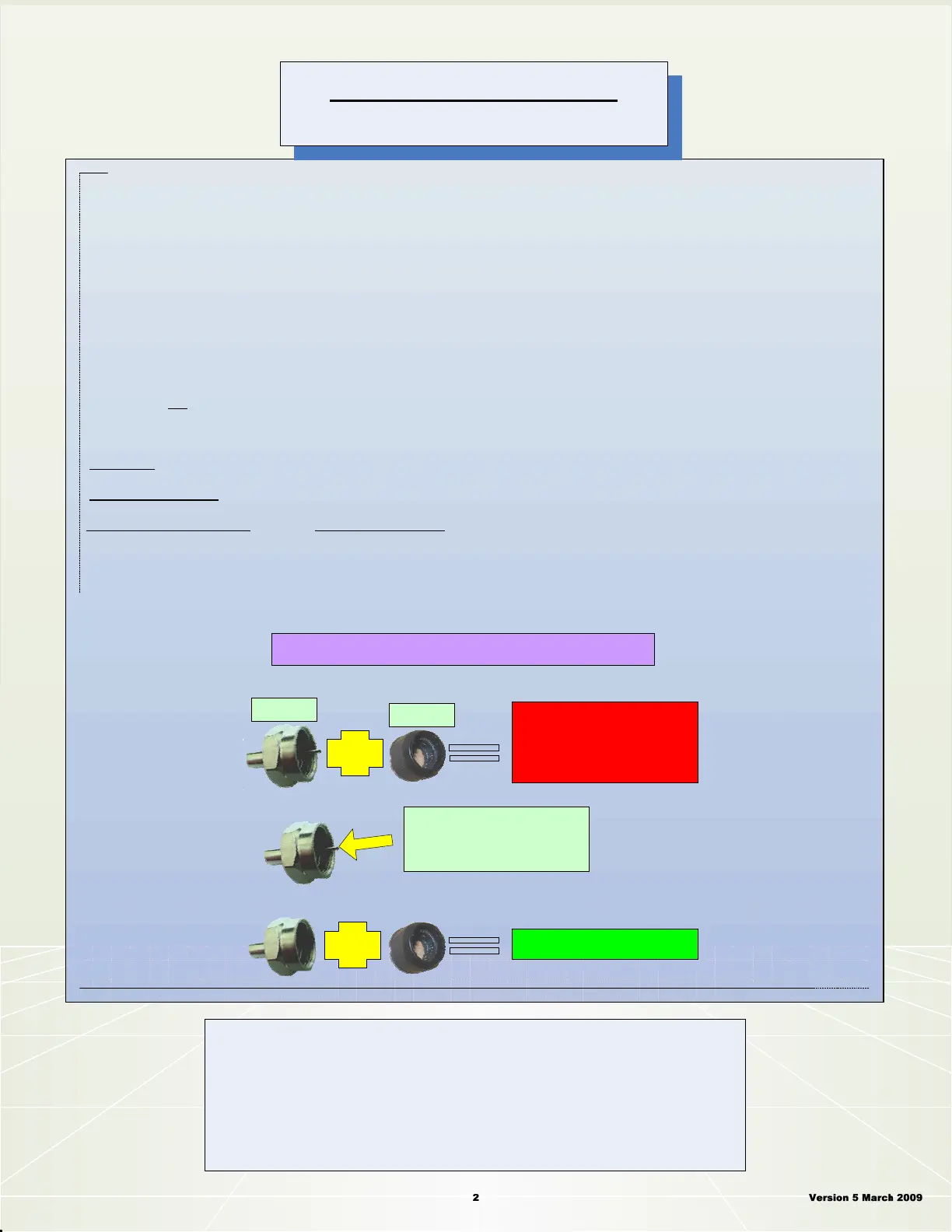
To make a weather cap –
simply remove the center
stinger of a terminator cap
using a pair of side cutters
Weather Sealed Port
Terminated Port
(only used on a 3x4 off air input port)
SWiM Switch
(comes with its own terminator cap)
Weather
Seal
Terminator
Cap



 To Next Page