15
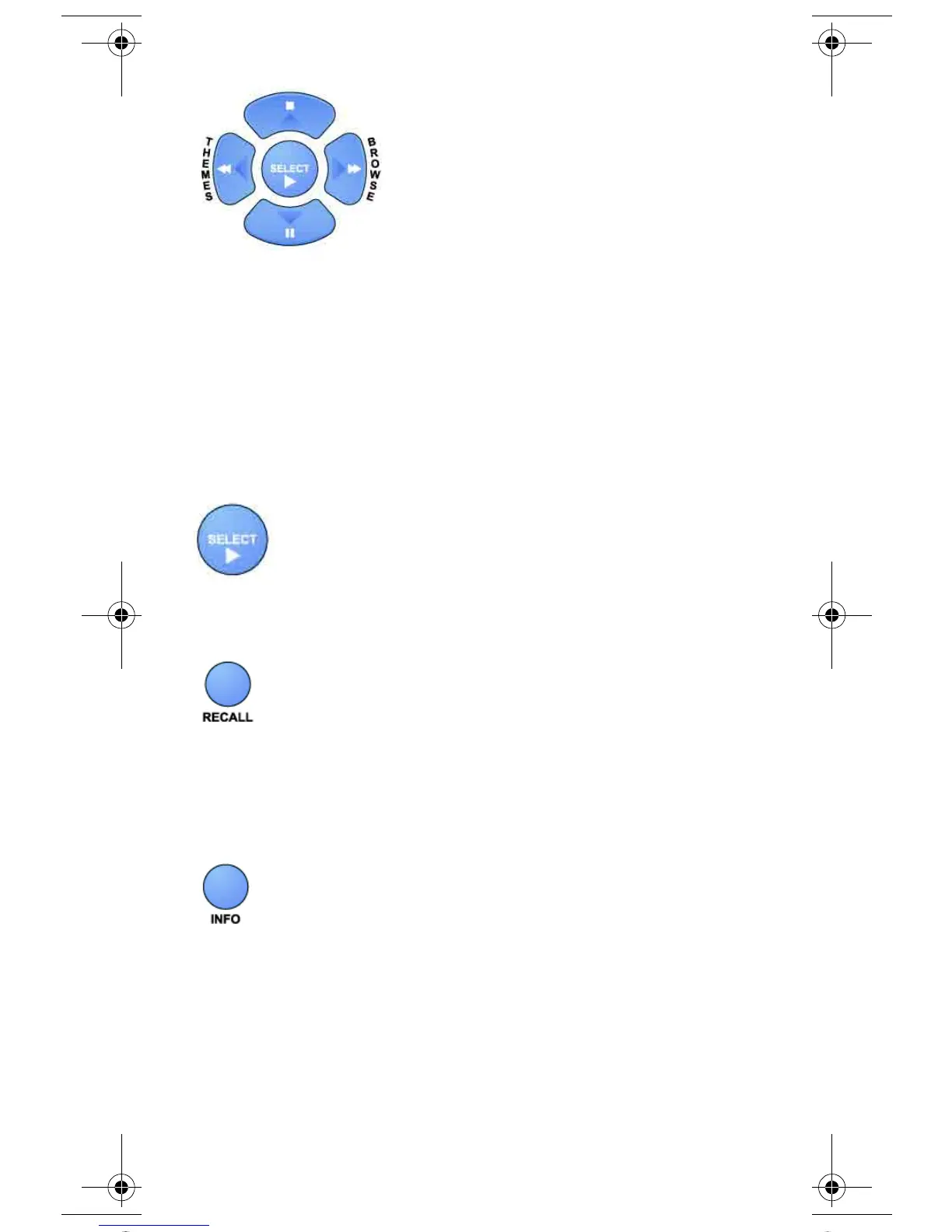
ARROW BUTTONS
• Change channels - Press the UP or DOWN arrow button to
change channels.
• Open the Browse Banner - Press the RIGHT arrow button.
• Show Themes - Press the LEFT arrow button.
• Move around within the Program Guide, menus, and Browse
Banner - Press the UP, DOWN, LEFT, and RIGHT arrow
buttons.
SELECT BUTTON
Press this button to select the option you highlight in a menu.
RECALL BUTTON
Press this button to go back to the last receiver channel you watched.
Press it again to switch between the last two receiver channels you
watched.
INFO BUTTON
• Program information - Press the INFO button for more
information when you watch a program, or when you have the
Program Guide, Browse Banner, or Themes list open.
• Help - Press the INFO button to see help information when a
Help button appears in a menu.
text_dishnondvr.fm Page 15 Monday, November 7, 2005 12:03 PM













 To Next Page