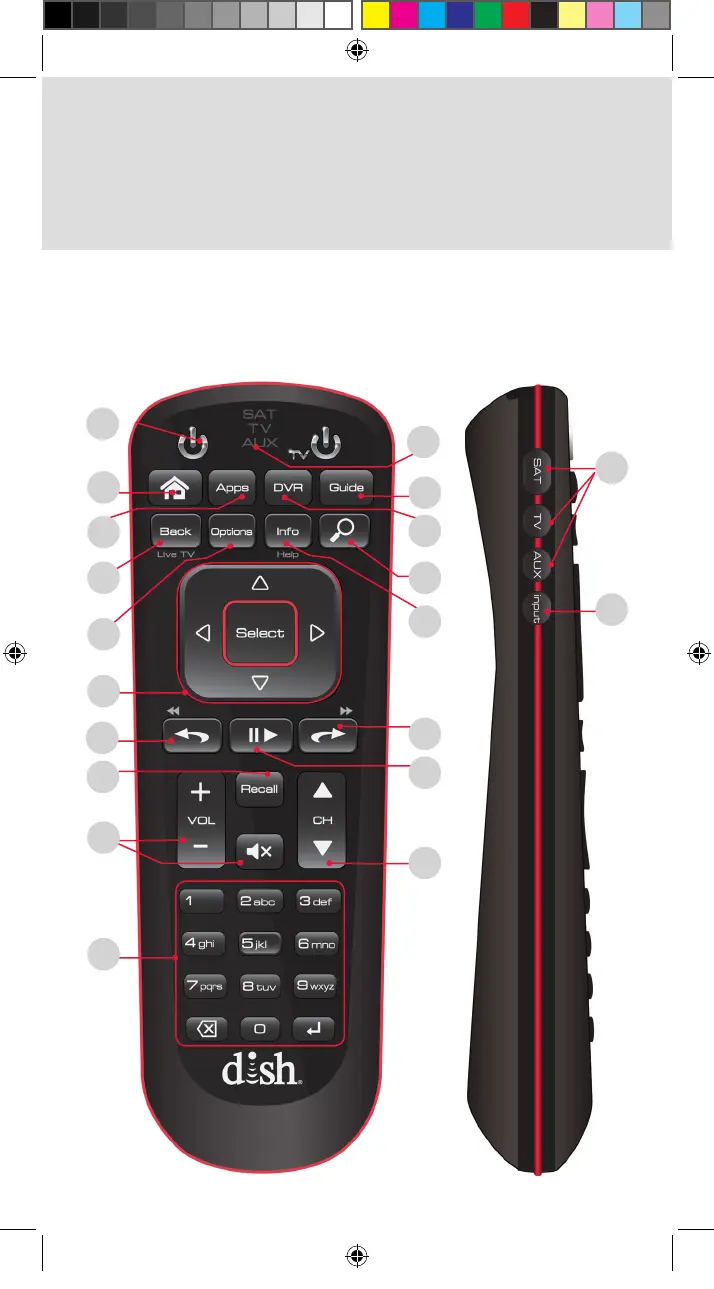
1
1
16
12
13
14
7
8
9
10
17
15
11
18
3
2
4
5
6
To ensure you are in SAT mode, press the SAT button located
on the side of the remote (see page 2) to display programming
and to use the features described in this section.
Note: Some features may not be available depending on your
receiver model.
1. Using the Remote Buttons
20
19
Standard_Remote_QSG.indd 2 9/2/2015 4:16:15 PM












 To Next Page