3
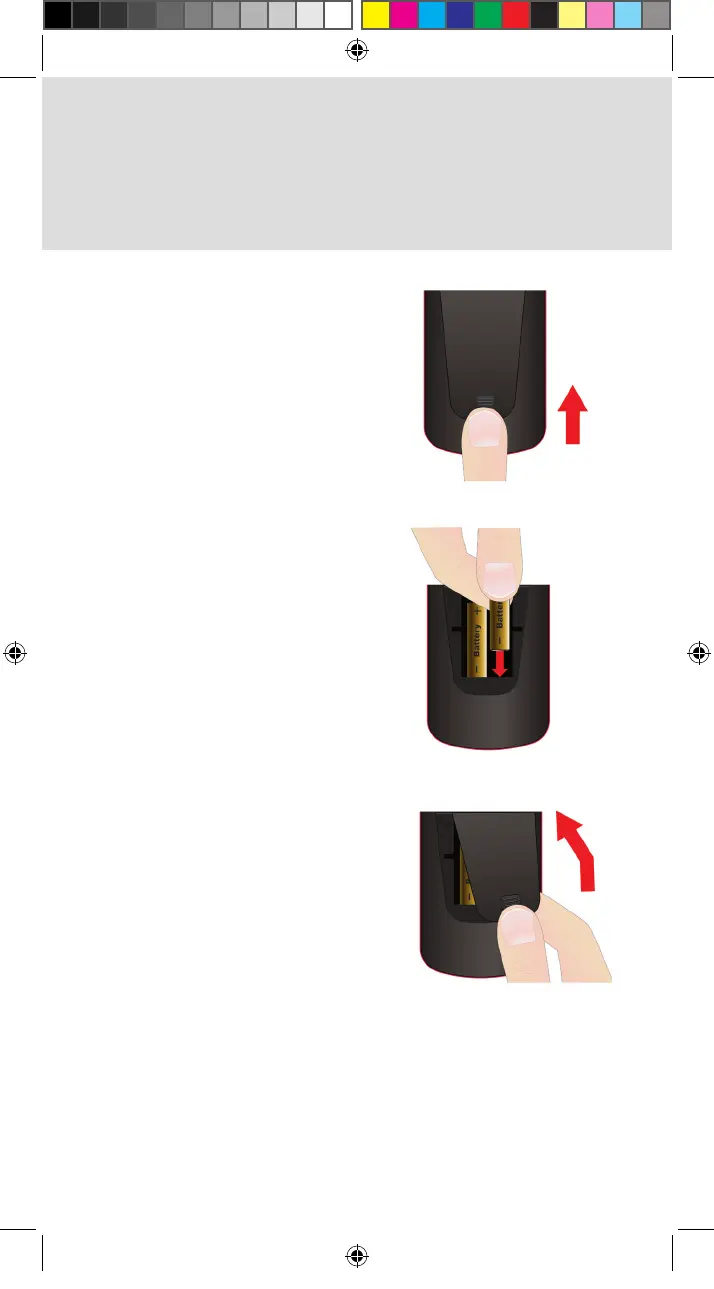
Push the tab toward the top
of the remote to release the
battery door latch and lift
the battery door from the
remote.
Insert 2 AA batteries, putting
thenegativeendsrst.
Match the plus (+) ends with
the plus markings on the
battery case.
Slide the top of the remote
battery cover back into place
and push the bottom of the
cover until it clicks closed.
2. Inserting the Batteries
a.
b.
c.
Standard_Remote_QSG.indd 3 9/2/2015 4:16:16 PM












 To Next Page