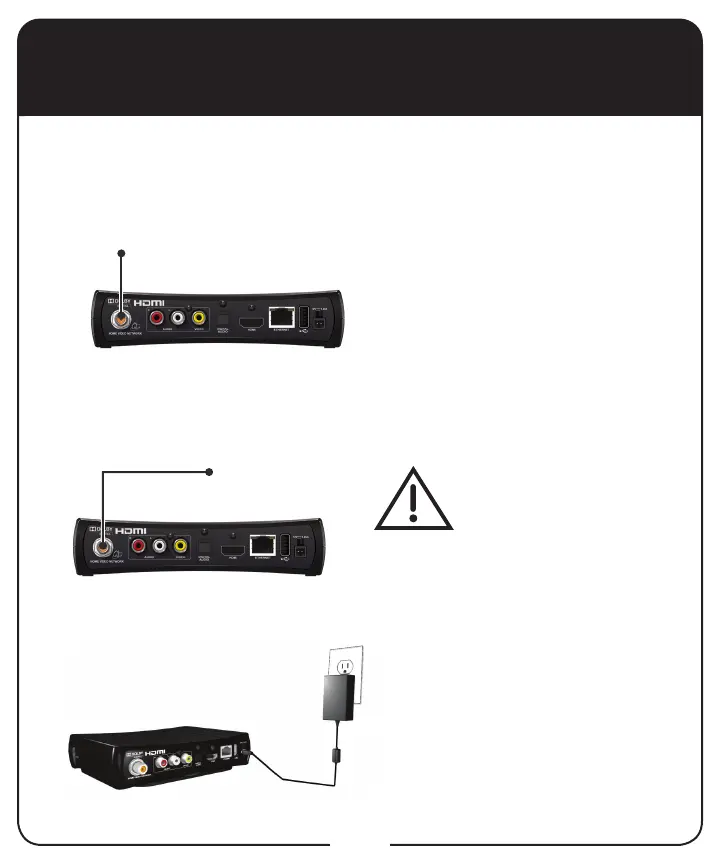
RG-59 or RG-6
Coaxial Cable
Home Video
Network Port
RG-59 or RG-6
Coaxial Cable
Home
Network
14
Connecting to Home Video Network
Connect one end of either RG-
59 or RG-6 coaxial cable to the
HOME VIDEO NETWORK port on
the back of the Joey.
Connect the other end of coaxial
cable to your home network.
Do not cover the vents
or stack anything on the
Joey. Covering the vents
or stacking anything on
the Joey can cause heat
build-up, which voids the
Limited Warranty.
Connect the power cord to the
back of the Joey and plug into an
outlet.
The Joey uses your home’s coaxial TV cable to communicate to the host
receiver, Hopper. Once the Joey is connected to your home’s network, it
uses the content and features of the receiver to display programming on
another HDTV or SDTV in the home.
1
2
3



 To Next Page