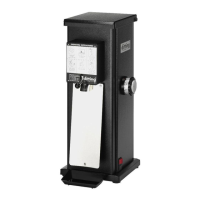
1203 / 1403 | ENSHOP GRINDER
18
Fault Cause Remedy
The grinder is
not grinding and
making noise.
• The power plug is not
plugged into a socket.
t Insert the power plug into a
properly installed socket.
• The grinder is not
switched on/
ready for operation.
t Switch on the grinder by tilt-
ing the on/off switch to the I
position (only applies to the
models KFA 1203 / 1403 and
KFA 1403 Industrial)
• The thermal overcur-
rent circuit-breaker
was triggered.
t Check whether the release
button of the overcurrent cir-
cuit-breaker has popped out.
Push it back in if necessary.
Contact your supplier if the
overcurrent circuit breaker
pops out repeatedly (see
chapter on “Maintenance and
service”).
• The electrical fuse
has tripped.
t Check the electrical fuse. If
required, restore the fuse to
its original state or replace it.
Check whether other loads are
connected to this fuse and if
so, pull out their plugs. Con-
tact your supplier if the fuse
repeatedly trips (see chapter on
“Maintenance and service”).
The grinder is
not grinding fine
enough.
• The grinding discs
are worn out.
t Contact your supplier (see
chapter on “Maintenance and
service”).
• The grinding discs
are not correctly
aligned.
t Contact your supplier (see
chapter on “Maintenance and
service”).


 To Next Page