47
Chapter 2: Camera Configuration
Event - Object Detection
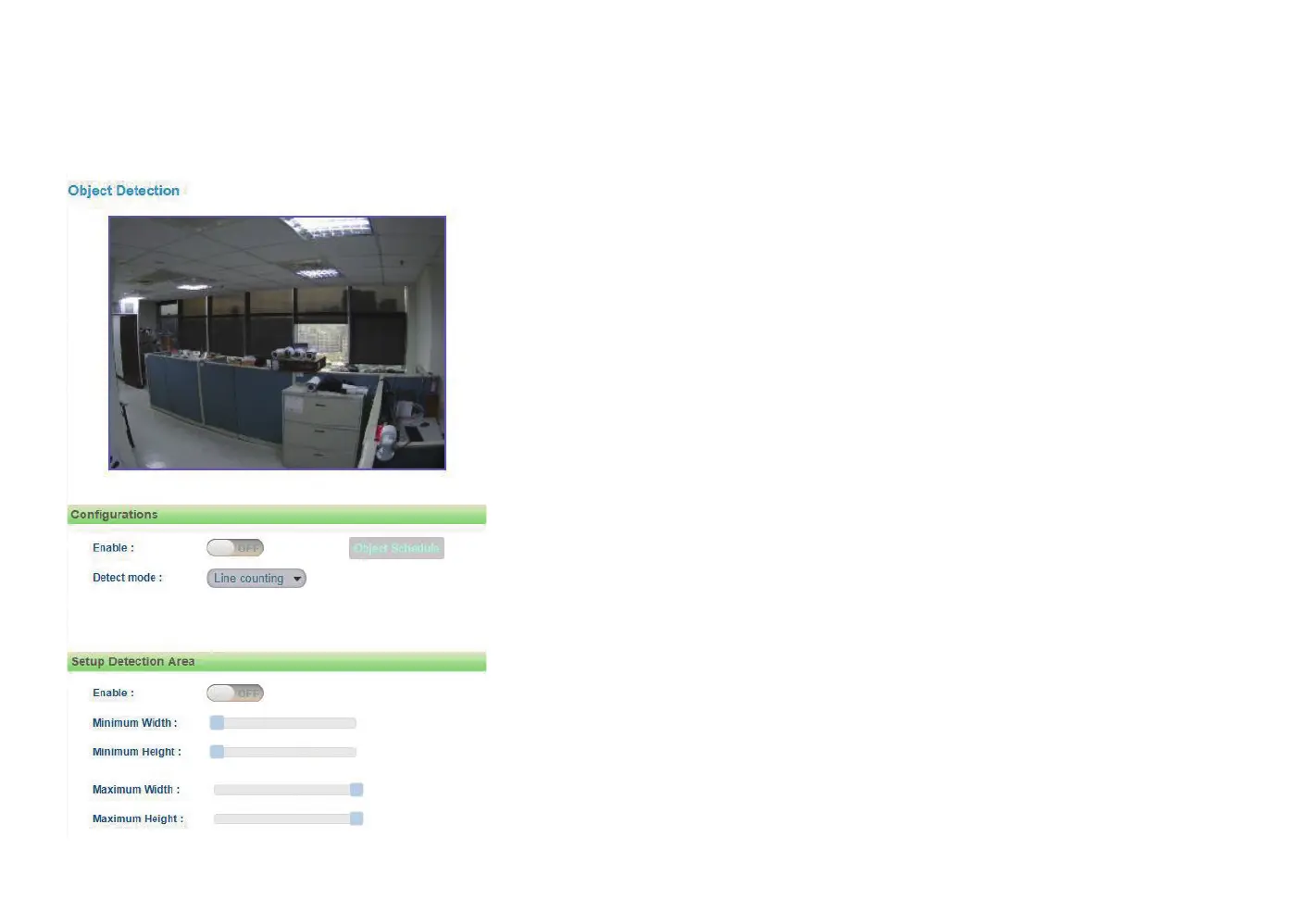
Object Detection Configurations
Enable
Enables or disables object detection function.
Detect mode
Configures the methods of object detection, the options are Line counting,
Line crossing, Zone counting and Zone intrusion.
Line counting: To create a Line counting area for calculation (no event
trigger), on the live video screen, select the area by holding down the
mouse button and draw the Line counting lines, release the button once
the desired area is covered. Then select the Two way or One way option
(calculation method) from the Direction drop-down menu.
Line crossing: To create a Line crossing area for triggering events, on the
live video screen, select the area by holding down the mouse button and
draw the Line crossing lines, release the button once the desired area is
covered. Then select the Two way or One way option (trigger method)
from the Direction drop-down menu. (Note: Object detection function
must be enabled in the Network Storage menu to enable event triggers.)
Zone counting: To create a Zone counting area for calculation (no event
trigger), on the live video screen, select the area by clicking the mouse button
to specify the first anchor point, then draw a line to place the second anchor
point. Continue to draw lines for the third and fourth anchor points, then
finish off the selection by clicking the first anchor point. A total of 4 anchor
points can be created. Select the Inside or Outside option (calculation
method) from the Direction drop-down menu.



 To Next Page