7. Operation
7.1 Start the operation
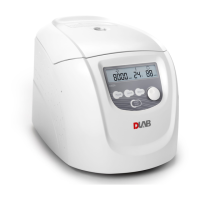
Turn on the power, waiting the display screen light up.
Press the speed button to do the speed adjusting.
Press the time button to do the time adjusting(set up time more than 60 seconds, the “MIN” light will
be light up. Less than 60 seconds, the “SEC” light will be light up ).
Press the “RUM/STOP” button, starting the centrifuge.
7.2 Stopping the centrifuge
The centrifuge will be stop running when set up time is out.
Press the “RUN/STOP” button to shut down the centrifuge.
Open the hatch door during the centrifuge is running, the centrifuge will braking and stop,
8. Maintenance
8.1 Cleaning
(1)Centrifuge
If the centrifuge is exposed to ultraviolet rays for a long time, the color of the door may be changed or
the label may be peel off. After using, cover the centrifuge with a piece of cloth to protect it from
direct exposure.
If the centrifuge needs cleaning, clean it with a cloth or sponge moistened with a neutral detergent
solution.
Sterilize the centrifuge by wiping with a cloth moistened with 70% ethanol solution.
(2)Rotor chamber


 To Next Page