8 CONTENTS
4.5 Basic switch operation
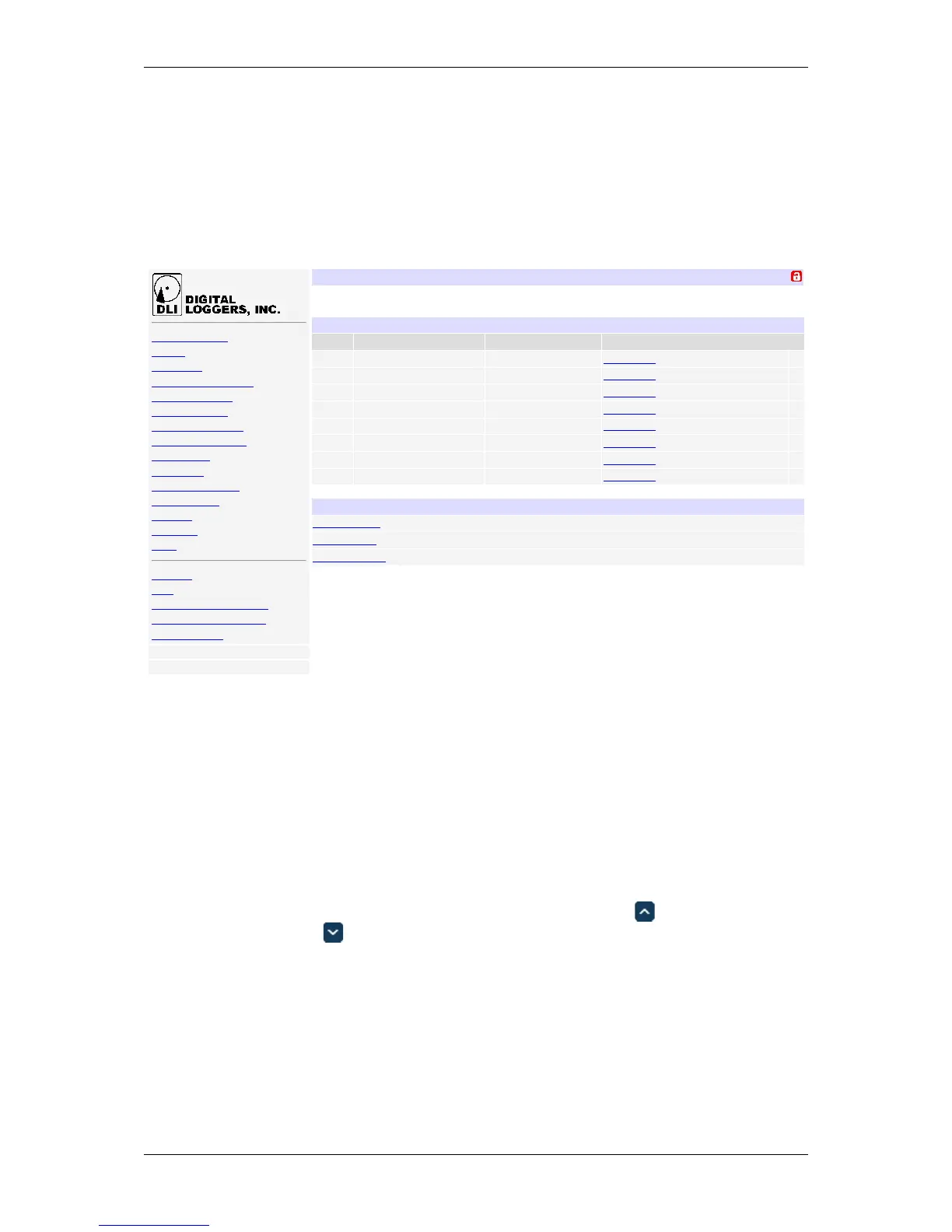
After power-up, the controller performs a sequence of self-tests to ensure reliability. The controller may then be
operated via a web browser. To access the controller, simply enter the IP address in the URL field of your web
browser, then log in. You will be presented with a screen similar to this:
Sessionexpiresin00:29:48
DIN4
RelayControl
Setup
Scripting
EventNotification
Customization
ExternalAPIs
Backup/Restore
FirmwareUpload
Date/Time
AutoPing
EnergyMonitor
SystemLog
Logout
Support
Help
Manual
FAQ
ProductInformation
DigitalLoggers,Inc.
Sourcecode
Version1.4.1.0/1.4.1.0
S/N:DIN42203123456
Controller:DLIController
WedFeb2405:18:392016
IndividualControl
# Name State Action
1 Relay1 OFF SwitchON
2 Relay2 OFF SwitchON
3 Relay3 OFF SwitchON
4 Relay4 OFF SwitchON
5 Relay5 OFF SwitchON
6 Relay6 OFF SwitchON
7 Relay7 OFF SwitchON
8 Relay8 OFF SwitchON
MasterControl
AllrelaysOFF
AllrelaysON
Cycleallrelays
Sequencedelay:3sec.
Main power controller page
Note that in this and many other pages, logical blocks can be collapsed by clicking in their right-hand corner,
and later expanded by clicking .
4.6 Common page layout
You can navigate the menu links to access the controller's features:
DLI DIN4 User’s Guide: 20170809T111540Z



 To Next Page