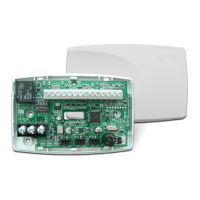
734N Installation Guide Digital Monitoring Products
7
RELOCK ON ZONE 2
CHANGE? NO YES
Relock on Zone 2 Change?
Selecting YES turns the relay off when Zone 2 returns to normal during the bypass. Selecting
NO leaves the relay on when Zone 2 faults to an open or short condition during bypass.
Turning off the relay at Door Closed allows a long strike time to be automatically ended and
relocks the door. The default is NO.
ACTIVATE ZONE 3
REX? NO YES
Activate Zone 3 Request to Exit
Selecting YES activates the Zone 3 Request to Exit (REX) option.
Selecting NO allows standard zone operation on Zone 3. Default setting is NO.
Connect a PIR (or other motion sensing device) or a mechanical switch to Zone 3 to provide
REX capability to the system.
When Zone 3 shorts, the on-board Form C relay activates for the programmed number of
seconds (see Zone 3 REX Strike Time). During this time, the user can open the protected
door to start the programmed Zone 2 Bypass entry/exit timer. After the programmed
number of seconds, the relay restores the door to its locked state.
The 734N module provides a bypass-only option for REX on Zone 3. When Zone 3 OPENS
from a NORMAL state, only a bypass occurs: the on-board relay does not activate. This
bypass-only option uses two methods of REX. The rst REX device provides the programmed
bypass entry/exit timer. The second REX, or manual device such as a door knob, unlocks
the door.
An example of the shunt-only conguration is a door to an ofce that is locked 24 hours
a day. Users pass a REX motion detector positioned by the door to begin the programmed
exit timer. Within the programmed number of seconds the user must then manually
activate a second device, such as a REX device or manual door knob, to unlock the door.
If the door is opened after the programmed number of seconds, an open condition is
indicated to the panel.
ZN 3 REX STRIKE
TIME: 5
Zone 3 REX Strike Time
Enter the number of REX seconds to elapse. Range is from 5 to 250 seconds. Press any
select key to enter the number of seconds. The default is 5 seconds.
ACTIVATE ONBOARD
SPEAKER? NO YES
Activate Onboard Speaker
Select YES to enable the onboard speaker for local annunciation, such as alarm and trouble
annunciations. Select NO to turn the speaker off for all operations. This does not affect
remote annunciator open collector (RA) operation. The default is NO.
Card Options
Typically, an access card contains data bits for a site code, a user code, and start/stop/
parity bits. The starting position location and code length must be determined and
programmed into the 734N Module. Select DMP to indicate the reader sends a 26-45 bit data
string. To select the DMP option, press the rst Select key under DMP. Default is DMP.
Select CUSTOM if using a non-DMP card with a user code length of 4 to 12 digits.
Select ANY to allow all card reads to activate the door strike relay. The door strike relay is
activated for the length of time programmed in ZN 3 REX TIME. No user code information is
sent to the panel.
Note: When set to DMP, the 734N converts 17 bits of the 26 to 45-bit data string into a
5-digit number.
CARD OPTIONS:
DMP
CARD OPTIONS:
DMP CUSTOM ANY
01110101101101010001100111
First Bit
Received
Position = 1
Site Code
Position = 2
Length = 8
User Code
Position = 9
Length = 16
Last Bit
Received
Position = 26
In this example the Wiegand Code Length = 26 bits.
Figure 11: HID 26-bit Wiegand Data Stream Bit Location
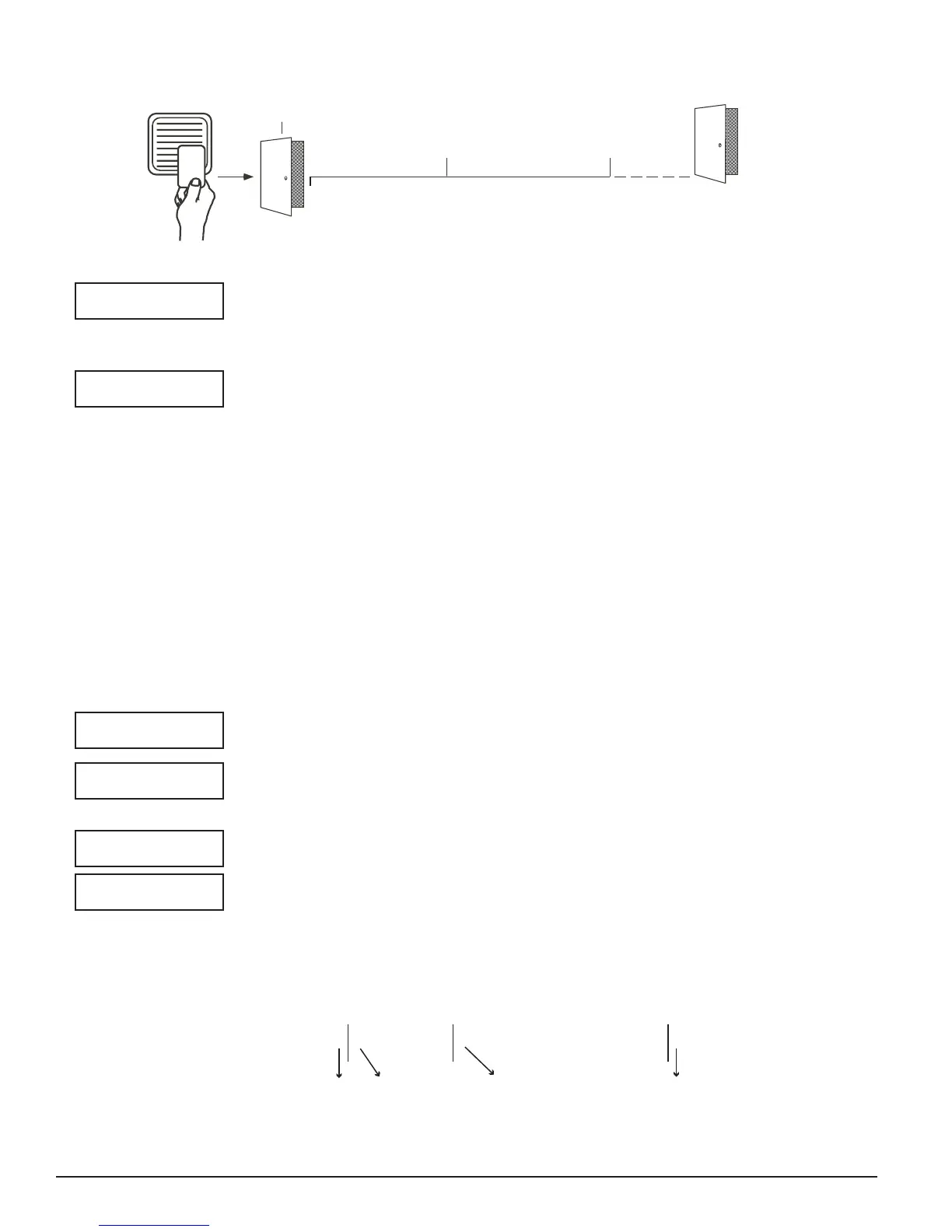
5 Second
Strike
40-Second Zone 2 Bypass
entry/exit timer.
10 seconds before
the bypass time expires,
the device beeps if
the door is still open.
End of
timer.
40
Seconds
A zone open/short is
indicated if the door
remains open.
Figure 10: Zone 2 Bypass Timeline using default time



 To Next Page