10
Remote Control
User Guidance Information
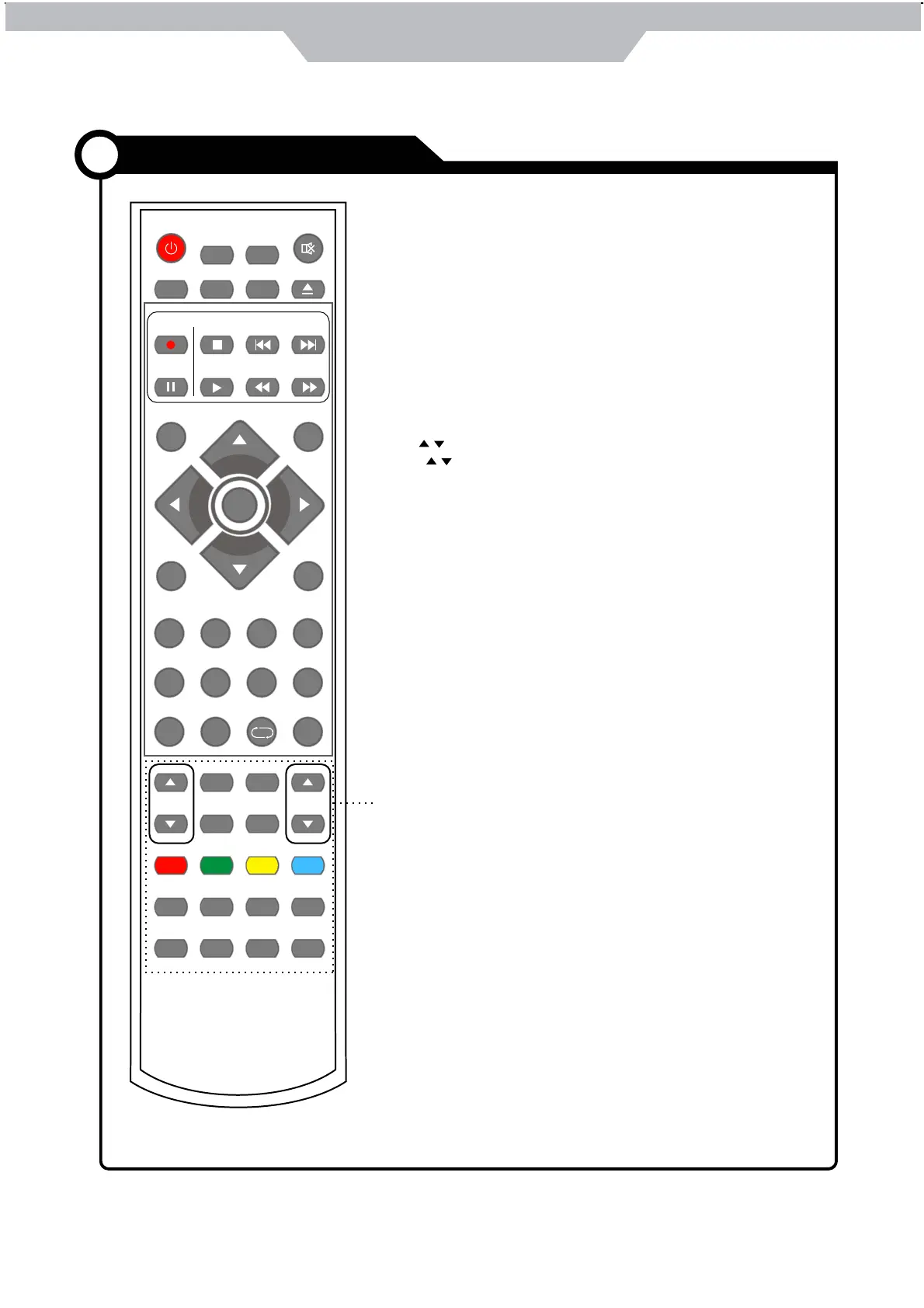
POWER
MUTE
REC
EPG
SOURCE
MENU EXIT
VOL CH
PICTURE
SETUP
A-B
GOTO
D-MENU
TITLE
HOLD SIZE SUBPAGE INDEX
NICAM/A2
TV/TXT CANCEL REVEAL
SOUND SLEEP
FAV
1234
5678
90
DISPLAY
REP
PVR/DVD
SUBTITLE
OK
REC LIST
CH/LIST
PRO
SLOW
SCREEN
LAN
SETUP: DVD system setup.
D-MENU: DVD play list/Disc menu.
TITLE: DVD title.
PRO: Edit the program and play.
LAN: Select DVD disc language.
A-B: Select and play the preferable paragraph of DVD program
by pressing this key twice at the beginning and end of it.
GOTO: Play your favorite title/chapter/track.
SLOW: Play DVD programs at slow speed.
Colour buttons:Short cuts-follow the coloured links in the text
CH / : Scan through channels.
VOL / : Adjust the volume.
PICTURE: Select the picture mode.
NICAM/A2: TV Nicam/A2 select.
SOUND: Select the sound mode.
SLEEP: Standby timer.
SCREEN: Turn on/off the screen.
TV/TXT: Turn off/on the Teletext display.
CANCEL: Cancel the Teletext display.
REVEAL: Reveal any hidden text.
HOLD: Hold or carry on the current subpage.
SIZE: Press to see top half of page double size,
Press again to see the bottom
half of page double size. Press again for normal size.
SUBPAGE: Press to enter subpages, pressagain to cancel.
INDEX: Go to index.


 To Next Page