15
PVR function
Application
PVR (Personal Video Record) function
PVR is special features under DTV,and the recording file in. TS format.you can play it in USB
multimedia Movie.Note: if the TS file is smaller than 5M,the USB mode do not support it.
Below is the buttons to be used in PVR:
<Record>: press this button to record
<List>: open the "Recorder List" menu
< > : play recorded fils, AV select part playback
< > : stop Recording and Playback, start Time Sfift function
< Stop > : stop the watching the recorded programs or stop Time Shift function
< >: fast forward playback
< >: backword playback
< >: play the previous part of recorded file
< >: play the next part of the recorded file.
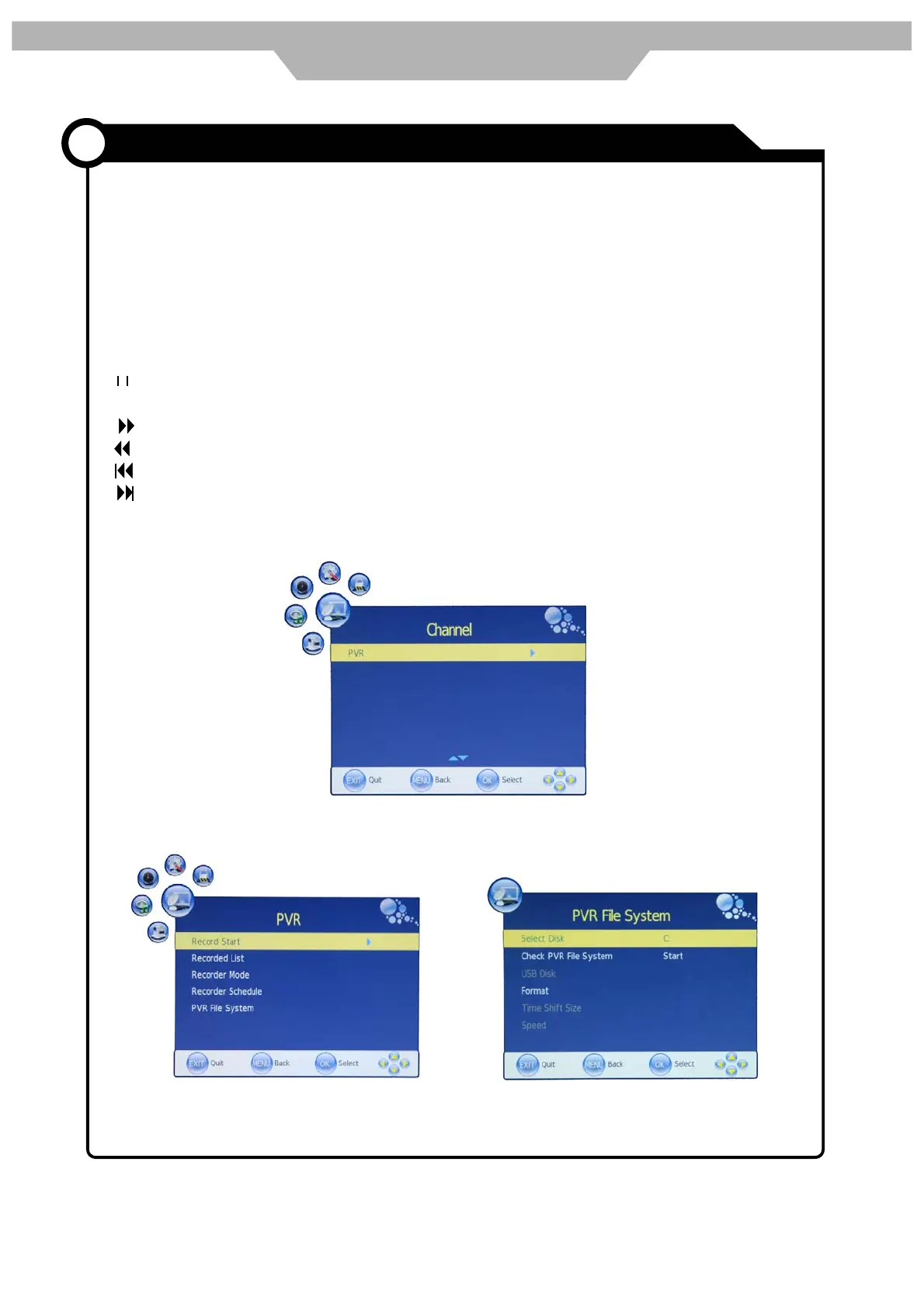
From CHANNEL MUNU enter into PVR File System
Ź
as below
Select Disk: select which disc to save the record file


 To Next Page