24
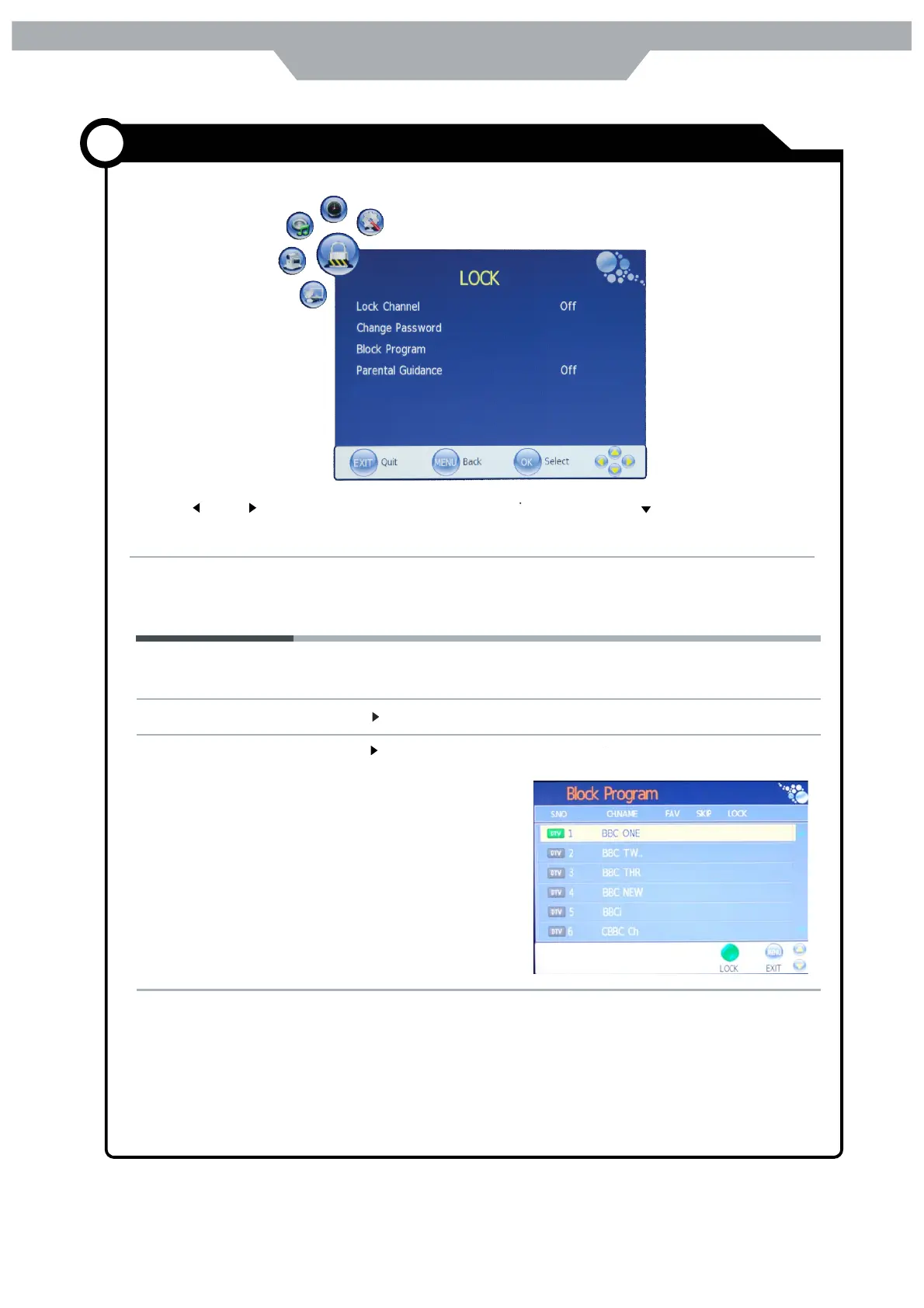
Parental Guidance Cycles among ages:4,5,6, ……18,or you could turn the function off.
Block Program Press button to enter the submenu as the right
picture , select a program, and press GREEN button
to block it.
Change Password Press button to enter the submenu , and you could change password here
Lock Channel
Allows you to turn on or off the channel lock.
The LOCK menu includes the following options:
Use the and button to select the LOCK menu(as the picture above), press button to enter the
menu.
Note: You should enter the code to operate the menu.(original code is 0000)
When select“On”,channl menu is closed.
Customizing the LOCK Settings
Application



 To Next Page