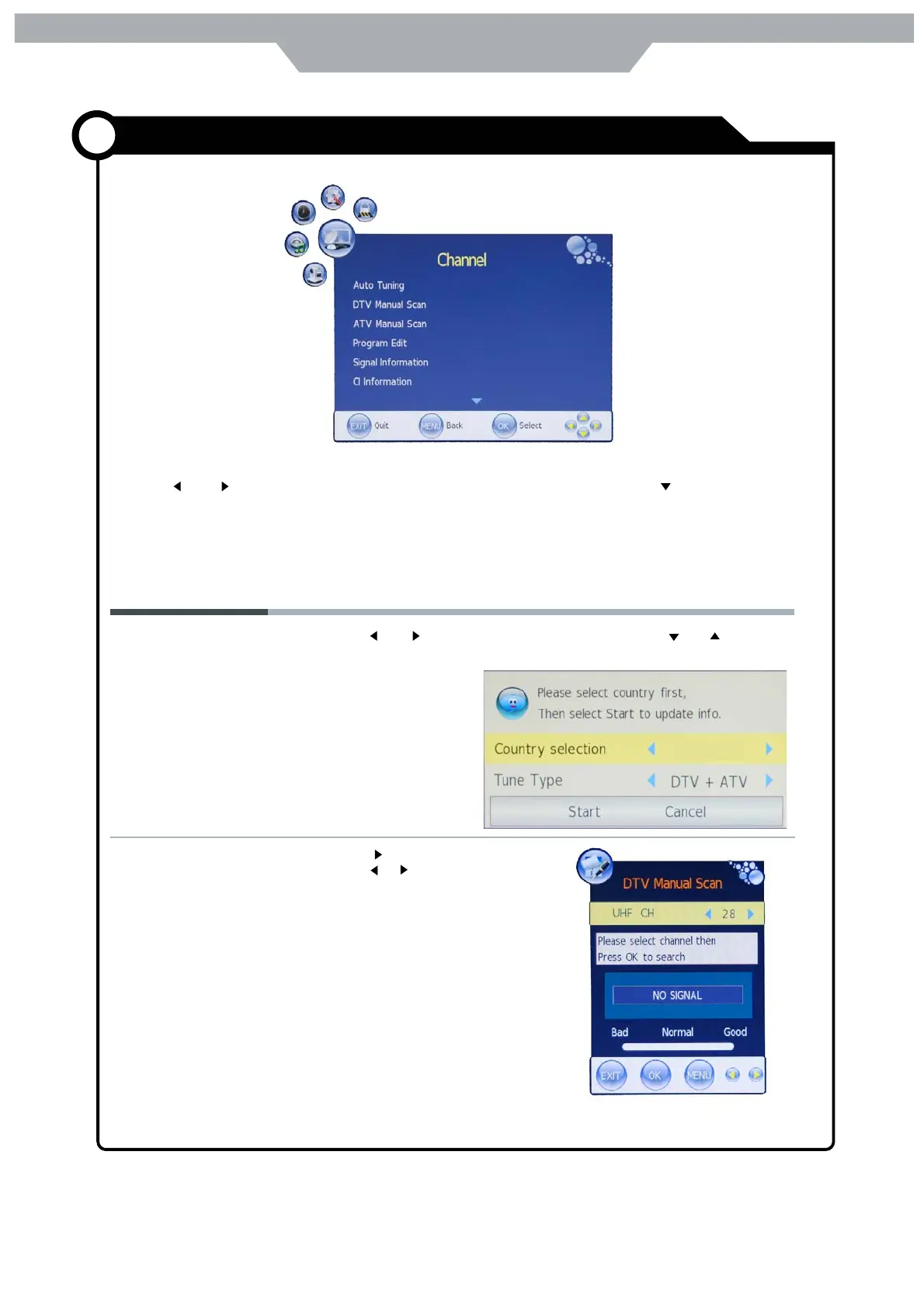
DTV Manual Scan
13
Auto Tuning
Customizing the CHANNEL Settings
Application
Use the and buttons to select the CHANNEL menu( as the picture above), press button to enter the
menu.
The CHANNEL menu includes the following options :
Press and buttons to select the Country and press and buttons
to select " Start" , and press OK button to start auto tuning ( It contains
ATV and DTV
signals ).
Press buttton to enter the submenu
Press or button to select a chart
and press OK button to start search.
Sweden


 To Next Page