12
Operating the Menu
Application
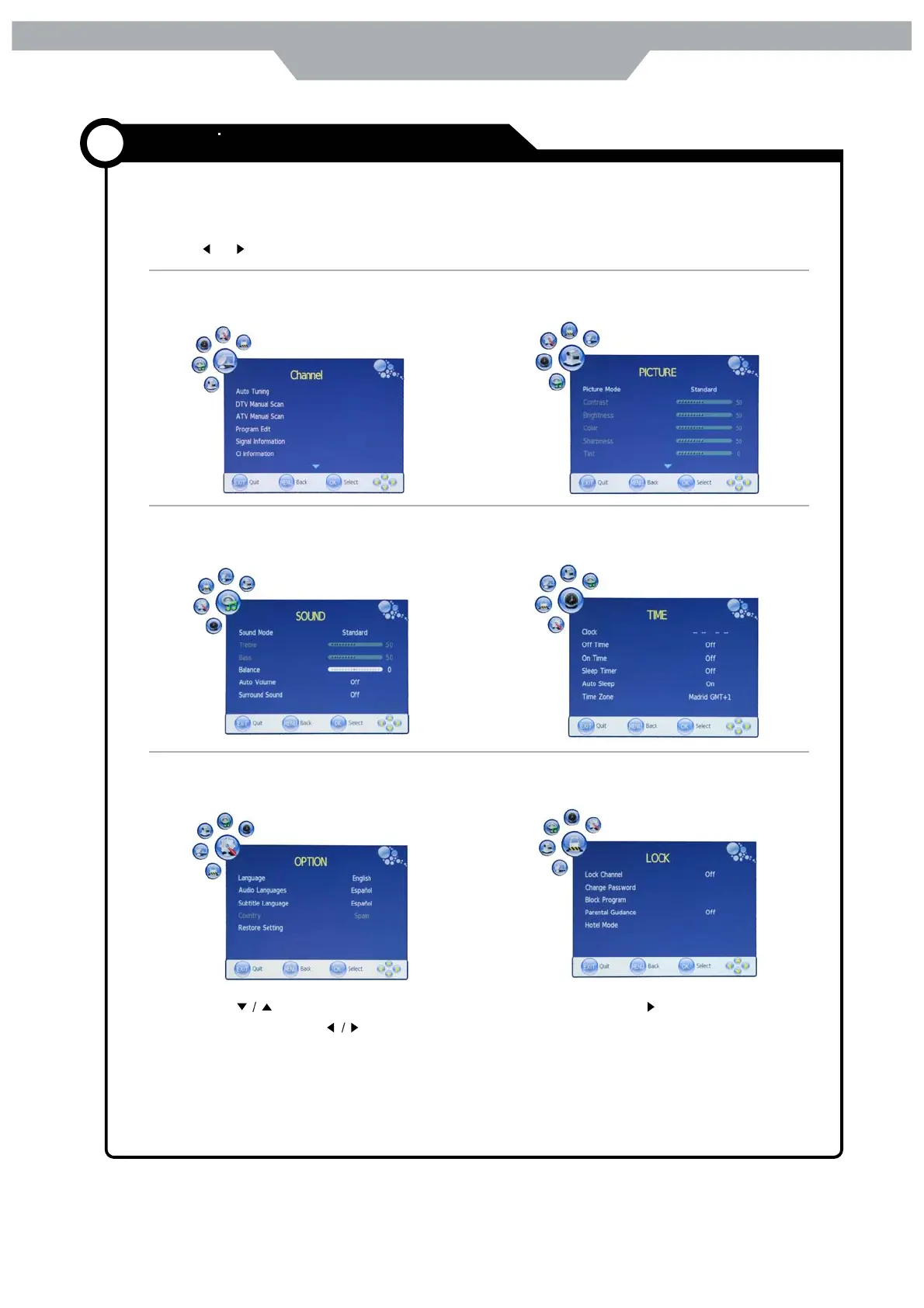
CHANNEL MENU:
Allow you to search channels and set up a variety
of channel options .( Select TV source)
PICTURE MENU :
Allow you to make adjustments to your picture ( select
TV source for example)
SOUND MENU:
Allow you to customize the sound options and
effects (select TV source for example )
TIMER MENU:
Allow you to setup a variety of timer
options ( Select TV source )
1. Press the POWER button to turn the TV on.
2. Press the Menu button on the remote control , the on-screen menu will appear on the screen.
3. Use and buttons to select your main menu option.
LOCK MENU:
Allow you to set up a variety of lock
options ( Select TV source )
OPTION MENU :
Allow you to setup a variety of setup
options ( Select TV source )
4. Use the buttons to select an option of the sub-menu, and press the button while in
adjustment mode, use the button to change the value of the item.
5. Press the EXIT button to exit the menu.
Note:
Only when you input suitable signal ,the relevant items can be activated .



 To Next Page