18
User Controls
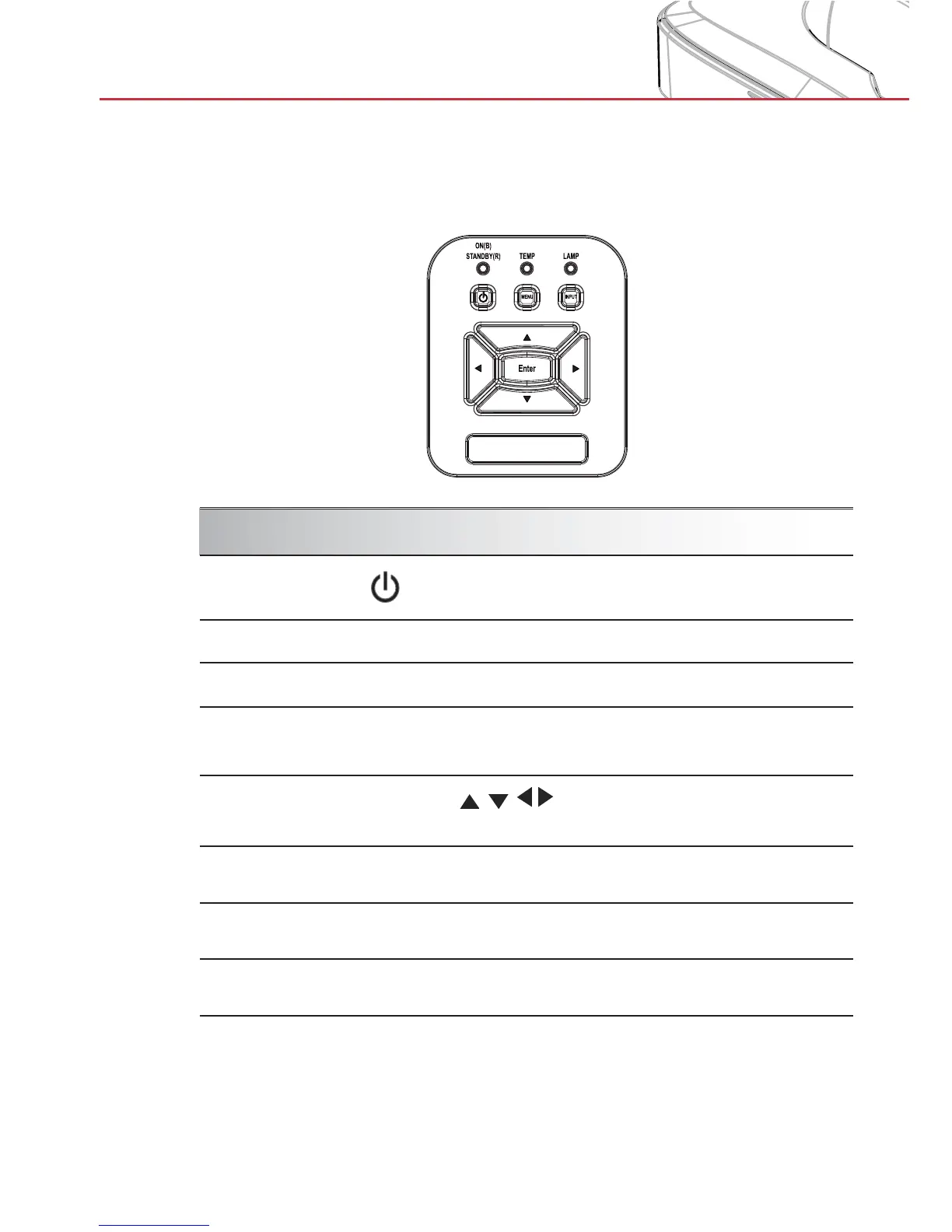
Control Panel
Control Panel & Remote Control
Using the Control Panel
POWER
Refer to the “Power On/Off the Projector”
section on pages 13-14.
Enter Press “Enter” to confirm your item selection.
INPUT Press “INPUT” to select an input signal.
MENU
Press “MENU” to launch the on-screen display
(OSD) menu. To exit OSD, press “MENU” again.
Four Directional
Select Keys
Use
to select items or make
adjustments to your selection.
LAMP LED
Refer to the LED indicator of the projector light
source status.
TEMP LED
Refer to the LED indicator of the projector
temperature status.
ON/STANDBY
LED
Refer to the LED indicator of the projector
power status.


 To Next Page