33
User Controls
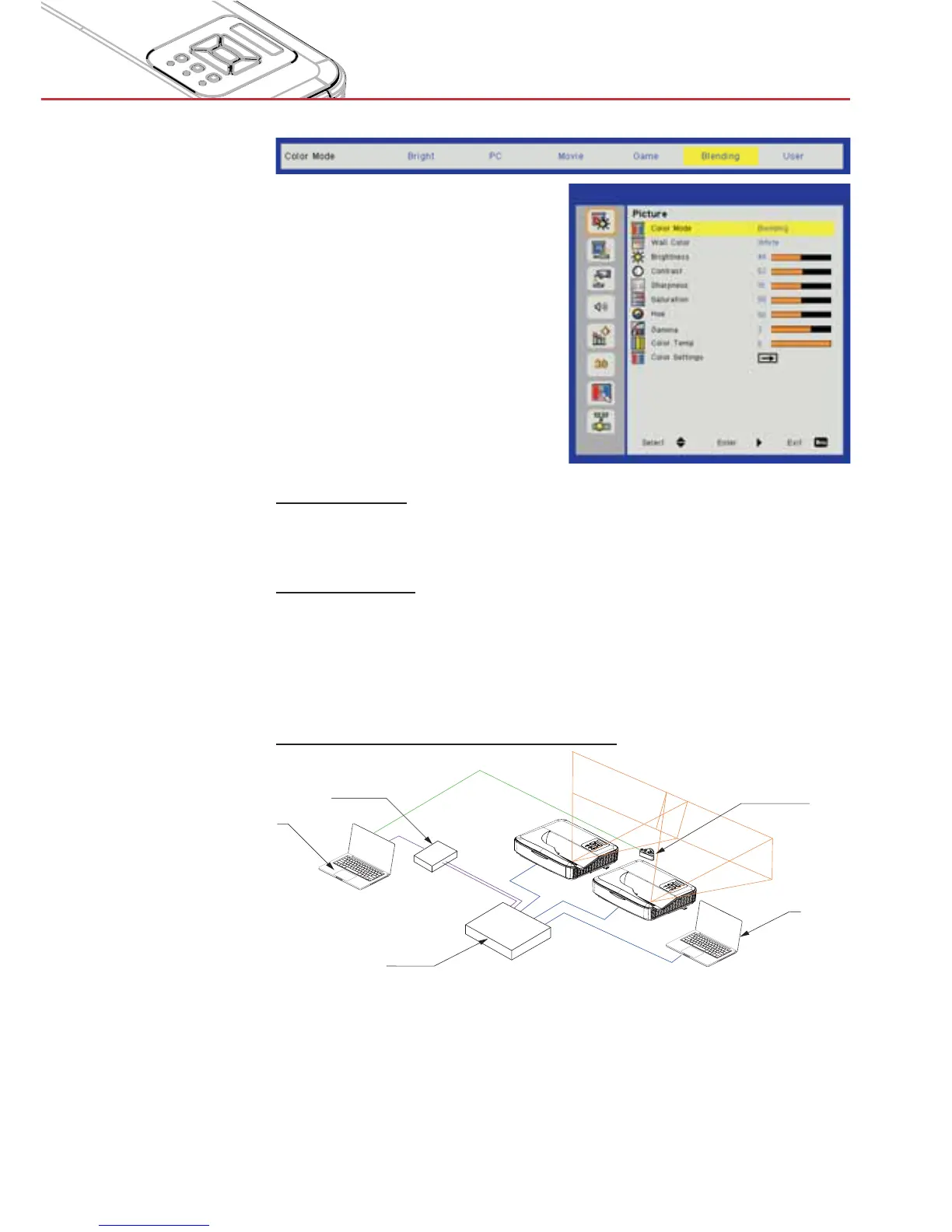
Blending
mode
Brightness
For user to manually adjust the brightness of projectors used in
blending mode.
Color Temp
For user to manually map the color temperature of projectors used
in blending mode.
Blending application
Example of system architecture
PC
PC
Network Switch
Blending Box
Calibration Camera
Laptop, Switch and Camera is for image calibration only >
Laptop Source: Image source >
Blending Box >
Multiple projectors (here two) >
For more details, please check the blending HW/SW specifica- >
tions


 To Next Page