34
User Controls
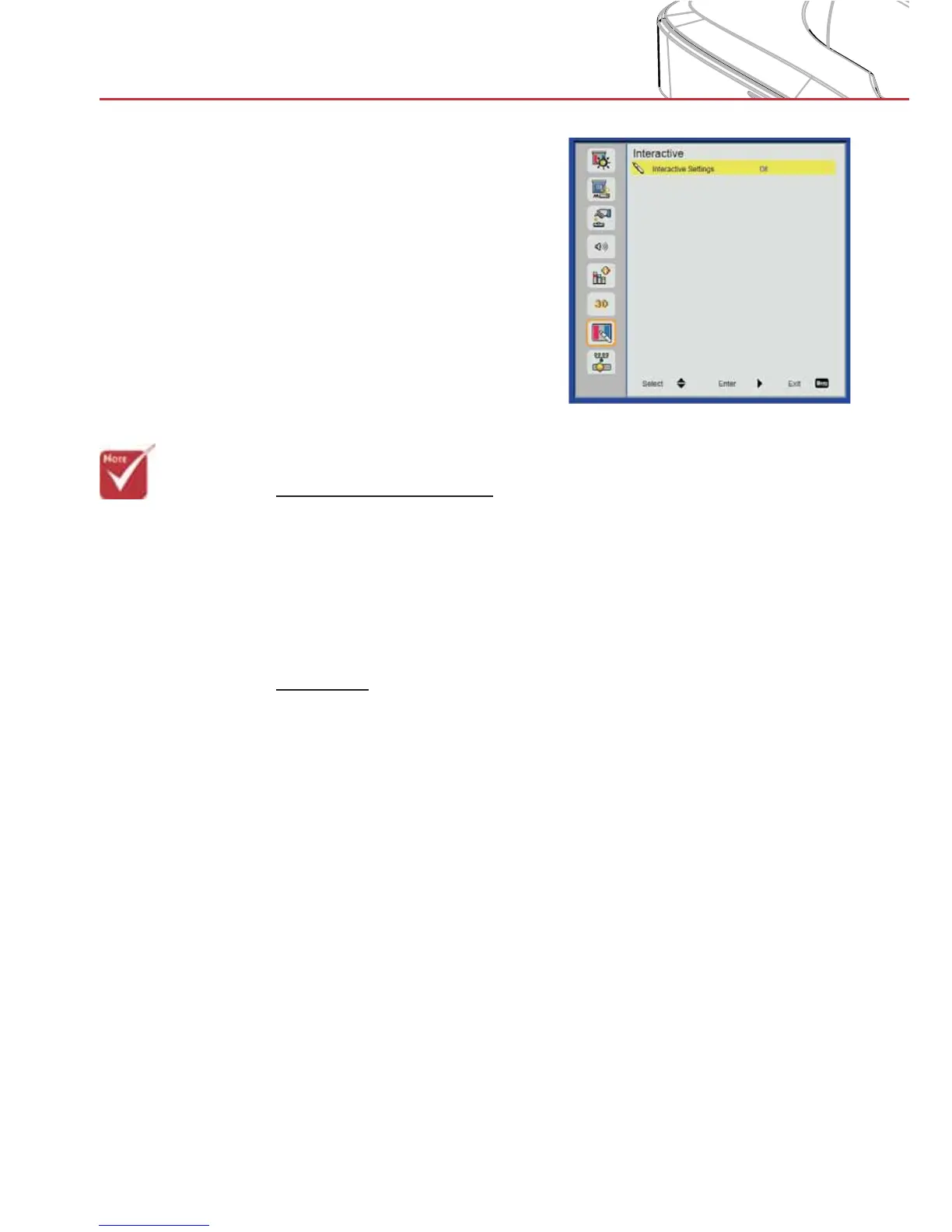
Interactive
Interactive Settings
Choose “On” to enable the Interactive function. >
Choose “Off” to disable the Interactive function. >
Use the Mini USB cable to connect PC/laptop and projector. Con-
nect before using the interactive function. After you complete the
Interactive Settings in OSD, use the Mini USB cable to connect a
NB/desktop to the projector.
IR Pen
Usage Notice
Please follow all warnings, precautions and maintenance as rec-
ommended in this user’s manual.
Precautions
IR camera on the projector receives infrared signal illuminated
from IR pen. To operate normally:
IR camera should face the projected image on the wall. >
Remove any obstacle between the IR camera and the projected >
image.
Do not place other infrared communication devices, lighting
>
equipments, residential heating equipments, etc. nearby.
Use the enclosed USB cable (maximum length: 5m).
>
To extend the USB cable length over 5m, a certified active >
extension USB cable is required.
> Please note that
the Interaction
function is only for
the HDI model.
The interactive
function is not
available in the
HDS model.
> The Interac-
tive function is
available when
displaying graphic
source from
HDMI/VGA input.
Other sources are
not supported.
> If “3D” or “Dynam-
ic Black” function
is enabled the “In-
teractive” feature
is disabled.


 To Next Page