26
User Controls
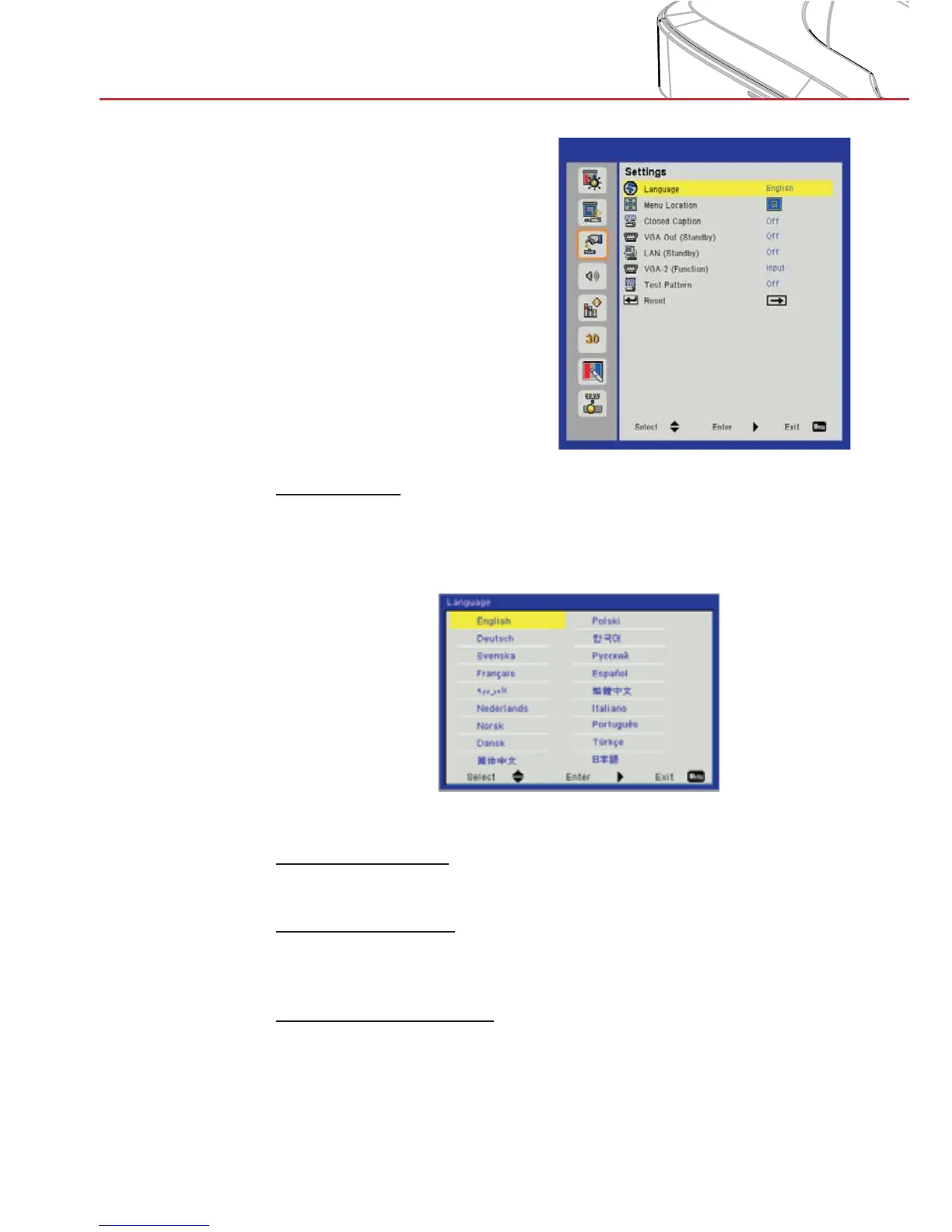
Settings
Language
Choose the multilingual OSD menu. Press the ◄ or ► button
into the sub menu and then use the ▲ or ▼ button to select your
preferred language. Press ► on the remote control to finalize the
selection.
Menu Location
Choose the menu location on the display screen.
Closed Caption
Use this function to enable close caption menu. Select an appropri-
ate closed captions option: Off, CC1, CC2, CC3, and CC4.
VGA Out (Standby)
Choose “On” to enable VGA OUT connection.


 To Next Page