28
User Controls
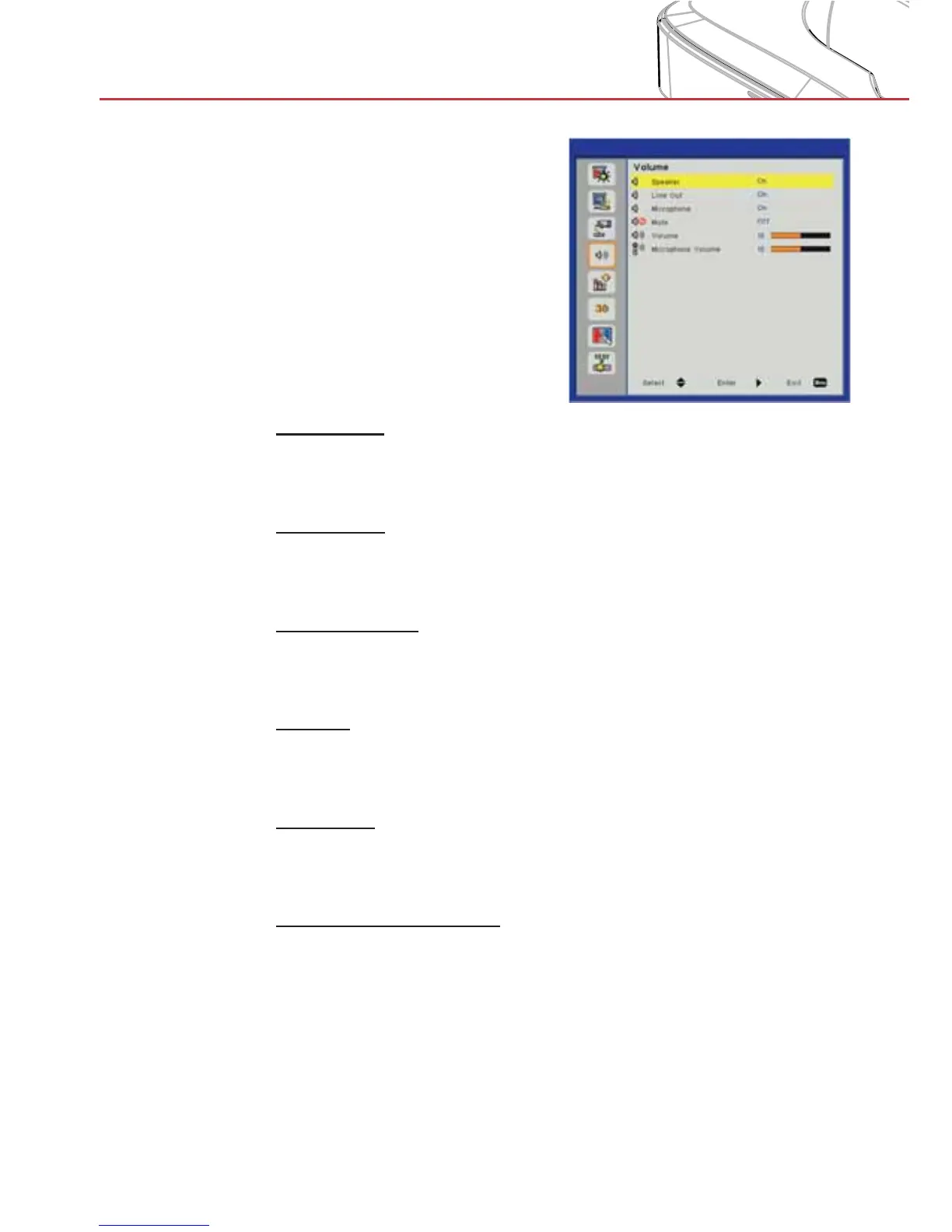
Volume
Speaker
Choose “On” to enable the speaker. >
Choose “Off” to disable the speaker. >
Line Out
Choose “On” to enable the line out function. >
Choose “Off” to disable the line out function. >
Microphone
Choose “On” to enable the microphone. >
Choose “Off” to disable the microphone. >
Mute
Choose “On” to turn mute on. >
Choose “Off” to turn mute off. >
Volume
Press the ◄ button to decrease the volume. >
Press the ► button to increase the volume. >
Microphone Volume
Press the ◄ button to decrease the microphone volume. >
Press the ► button to increase the microphone volume. >


 To Next Page