55
Multimedia
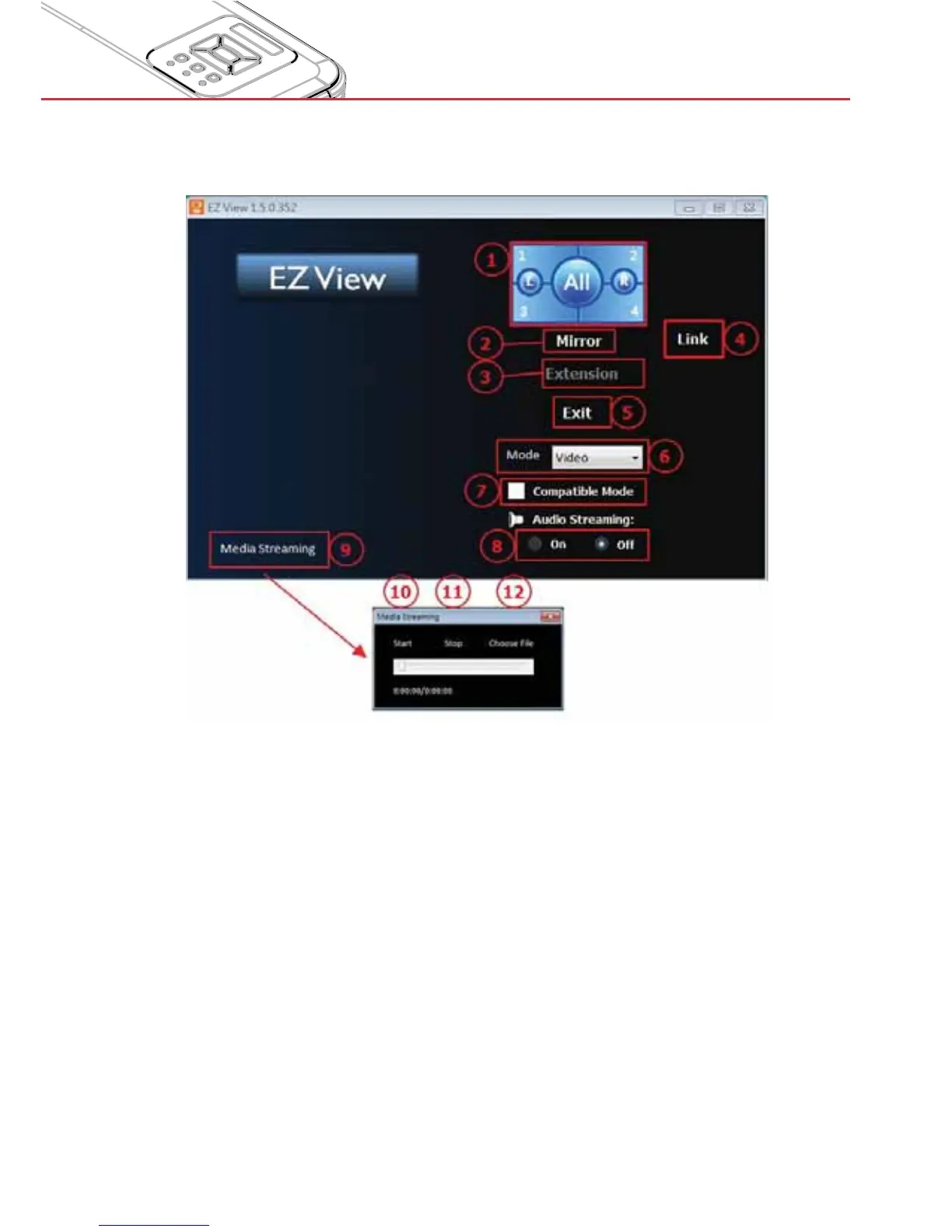
Step 4: For screen display function, select mirror mode or extension mode to project the
image from the device.
The selection of image position (1/4, 1/2 or 1/1 of screen)1.
Mirror Mode Display2.
Extension Mode Display3.
Link to Web management page (AP mode and client mode via LAN network 4.
only)
Exit5.
Display Mode : Video or Graphic6.
Compatible Mode7.
Audio On/Off8.
Media Streaming mode for playing video application9.
Start playing video10.
Stop playing video11.
Choosing video streaming file12.


 To Next Page