1-30 (No.HD003<Rev.004>)
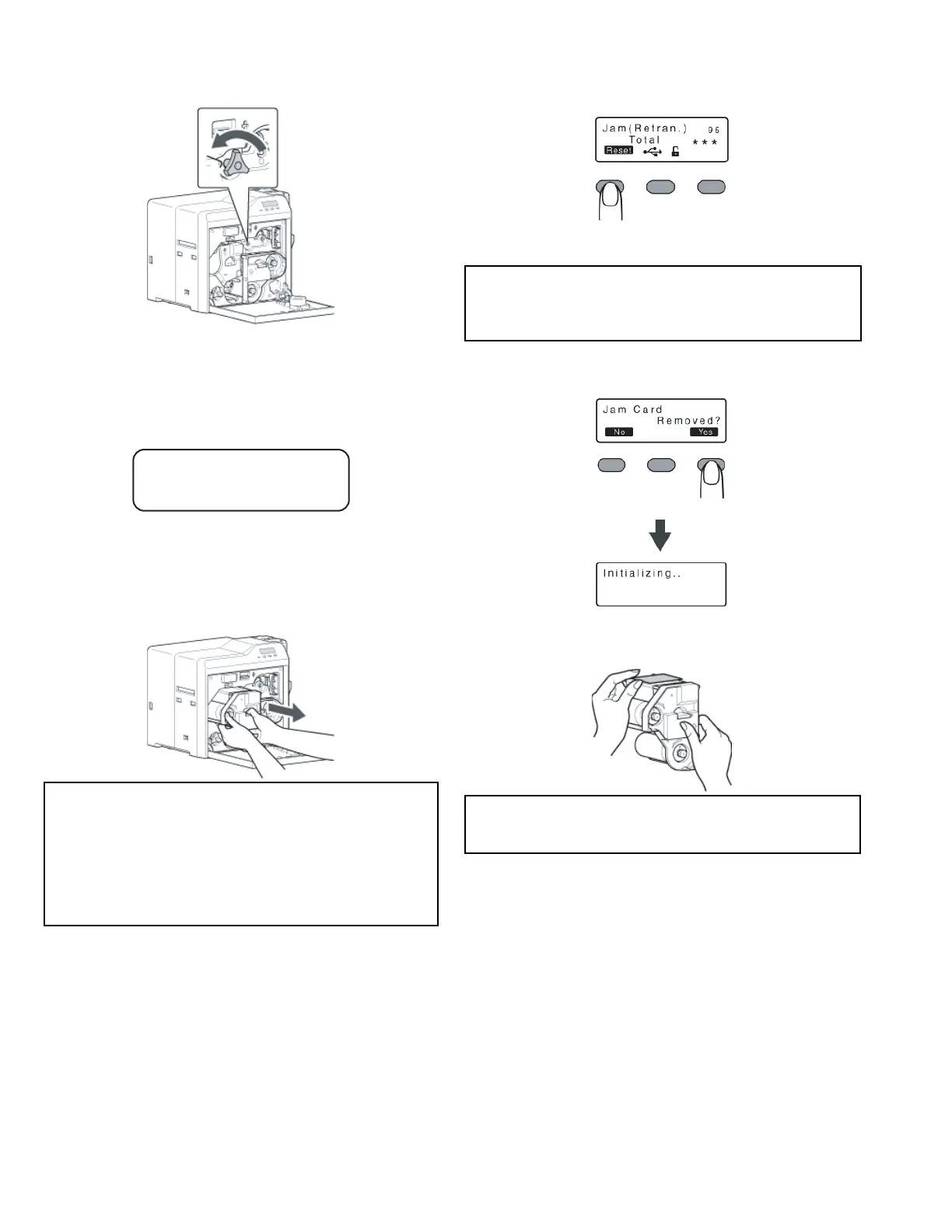
(4) Turn the card feed roller shaft in the anti-clockwise direc-
tion, while checking the position of the card.
• The card is discharged from the card outlet.
(5) Restore the jog dial to its original position, and install the re-
transfer film cassette.
(6) Close the printer door, and turn on the power.
5.1.7 Jam(Retran.) 95
• Card jam near the retransfer heating roller.
Remove the jammed card.
(1) Open the printer door.
• A [Please Remove Jam Card!] or [Please Close Door]
message appears.
(2) Pull out the retransfer film cassette.
(3) Remove the jammed card.
There is an explanation in each symptom.
• If the card is adhered to the retransfer film.
• If the card is inside the printer unit.
• If the card is caught in the card feed roller to the right of
the retransfer heating roller.
• If the card is caught in the card feed roller to the left of the
retransfer heating roller.
(4) Install the retransfer film cassette, and close the printer
door.
(5) Press [RESET] .
• A [Jam Card Removed?] message appears.
(6) Press [Yes] .
• An [Initializing..] message appears, and initialization of
the printer starts.
5.1.7.1 If the card is adhered to the retransfer film
• Remove the jammed card with a hand.
Go to step 4 of 5.1.7.
Cautions:
• The card may be adhered to the retransfer film. Pull out the
retransfer film while taking care not to jam it.
• If a [Please Close Door] message is displayed, the retrans-
fer film is stuck and the retransfer film cassette cannot be
removed.
In this case, close the printer door before pulling out the re-
transfer film cassette.
Cautions:
• Initializing the printer without first removing the card will
cause the printer to malfunction. Be sure to remove the card
then press [Yes].
Cautions:
• The card may be very hot. Be careful not to burn your fin-
gers when removing the card.



 To Next Page